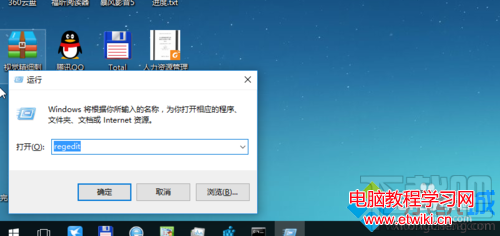
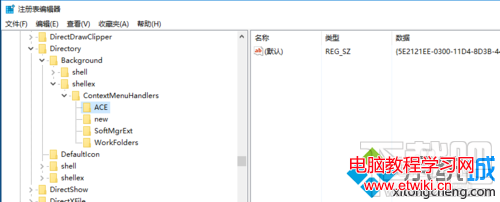
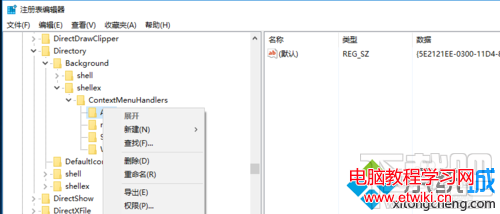
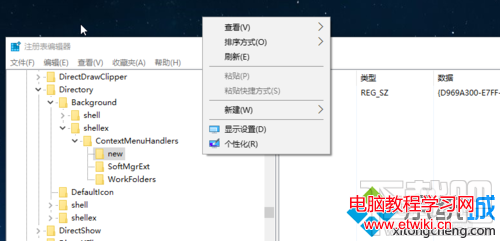
安裝 AMD 顯卡驅動後,桌面右鍵選單會出現「Radeon 設定」選項。若不需使用,可刪除登錄項目移除。
regedit
HKEY_CLASSES_ROOT\Directory\Background\shellex\ContextMenuHandlers\ACE
Win8/8.1 如何設定開機直接進入桌面而非 Metro 開始畫面?任務列導航頁籤勾選「登入時轉到桌面」
Win7 重裝系統遭遇斷電怎麼辦?錯誤提示「計算機意外重啟」完美解決教程
Win10 升級 10049 版本完整實測:下載、安裝、耗時、空間需求全記錄
Win10 如何查看與設定螢幕解析度?右鍵桌面兩步驟完成
Win8 尋找 PPPoE 撥號連線:網路共用中心建立寬頻連線完整路徑
什麼是 5.1 聲道?Win10 設定 5.1 環繞聲完整教學
Win10 Build 10532 快速版中文 ISO 鏡像下載(自製,含 SHA1 校驗)
Win10 免工具加密資料夾:EFS 檔案系統加密完整教學與憑證備份