Windows XP Windows 7 Windows 2003 Windows Vista Windows 綜合教學 Linux 系統教學
Windows 10 Windows 8 Windows 2008 Windows NT Windows Server 電腦軟體教學
您现在的位置: Windows教程網 >> Windows教程 >  >> Windows 綜合教學 >> 關於 Windows

Win7 32 位旗艦版:建立批次檔 (.bat) 一鍵解除鎖定登錄編輯器

編輯:關於 Windows

操作步驟

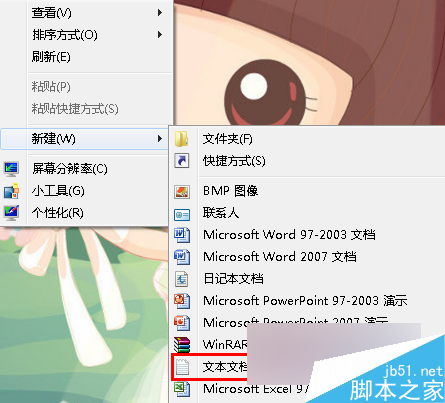
  1. 桌面空白處右鍵 → 「新增」→「文字文件」
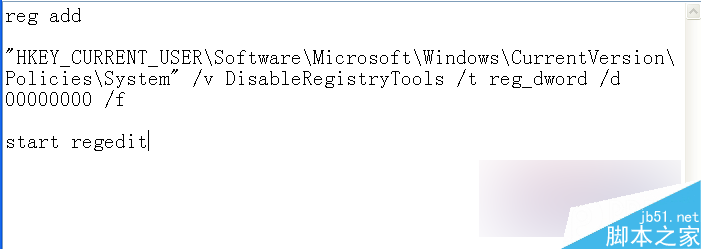
  2. 貼上以下程式碼:
reg add "HKEY_CURRENT_USER\Software\Microsoft\Windows\CurrentVersion\Policies\System" /v DisableRegistryTools /t reg_dword /d 00000000 /f
start regedit
  1. 「檔案」→「另存新檔」→ 檔名輸入 一鍵解鎖註冊表.bat,存檔類型選「所有檔案」→「儲存」

雙擊執行該 .bat 檔即可將 `DisableRegistryTools` 設為 0(啟用),並自動開啟 `regedit`。若註冊表被群組原則或惡意軟體鎖定,此法可快速恢復存取權限。

Copyright © Windows教程網 All Rights Reserved