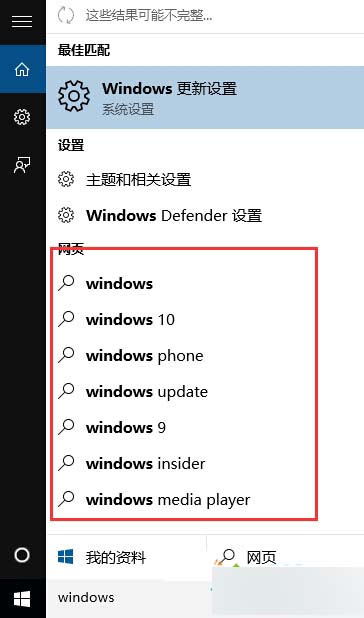
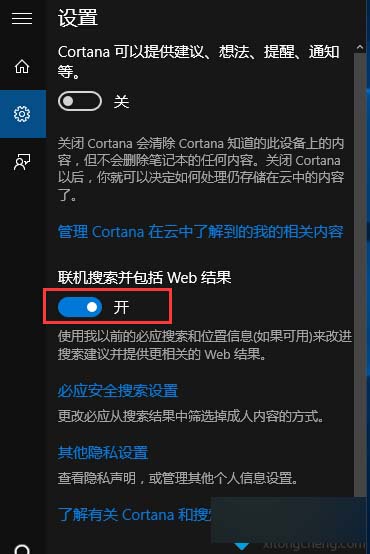
Win10 關閉搜尋時的網頁內容提示設定教學:
關閉後搜尋結果僅顯示本機檔案、應用程式與設定,不再發送查詢至網路。
Win10 高分屏 DPI 縮放導致字體模糊?兩招徹底解決
Win10 預覽版 9880 官方鏡像下載資訊彙整
Win10 內建流量統計:像手機一樣監控 Wi-Fi/乙太網路用量、追蹤偷跑流量的 App
Windows 7 絕不可關閉的 9 大關鍵系統服務 停用恐導致系統崩潰
微軟官方 Win 10 正式版發布專題部落格上線
微軟官方解釋 KB3135173 重設預設應用程式原因:第三方軟體不當修改登錄觸發保護機制
Win10 電腦發簡訊提示「無可用手機」?同步訊息功能修復三步走
Win10 雙螢幕如何設定不同桌面背景圖片?三步驟完成