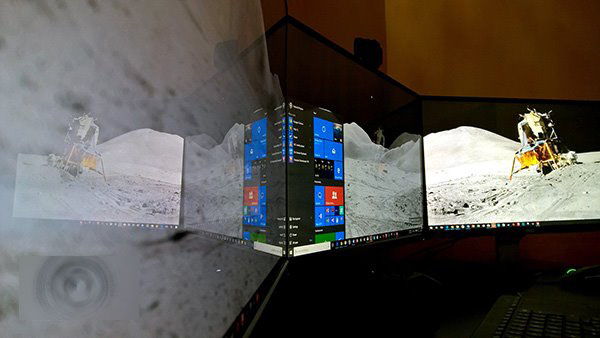
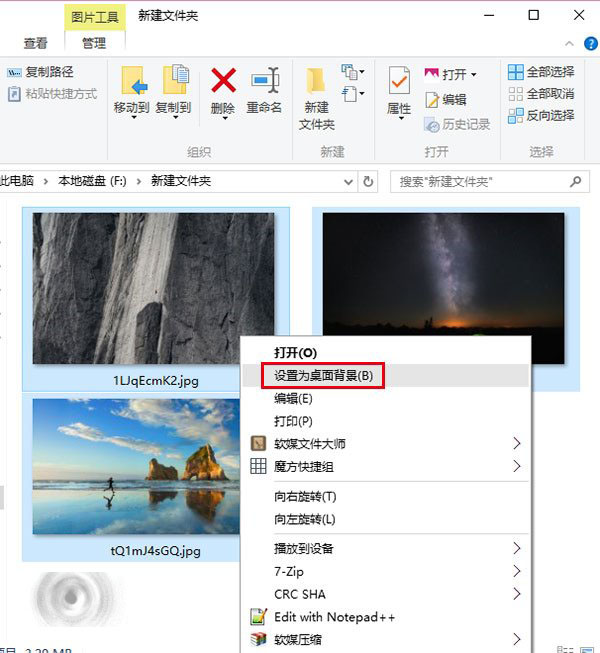
系統會自動為每個螢幕指派不同圖片。若螢幕超過 3 個,可嘗試不同張數圖片觀察系統指派規則。
Windows 7 鍵盤快速鍵大全:Win+T/空格/X/P/數字鍵等 30+ 組合鍵速查
Win7 桌面背景被竄改恢復:登錄檔 NoSaveSettings 防止壁紙被修改
Win10 Mobile 10586.71 夠快!512MB 手機找回 WP8.1 體驗,低階裝置效能大幅提升
Win10 如何禁用 SearchUI.exe (Cortana) 進程?重命名安裝目錄禁止啟動 (需獲取權限)
Windows 10 正式版你必須知道的 9 件事:免費升級、多裝置同步、Continuum、Edge、Cortana、虛擬桌面...
Win8.1 應用程式無法更新?wsreset 清除商店快取一鍵修復