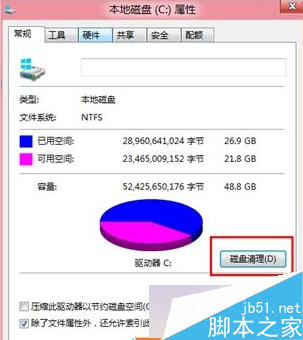
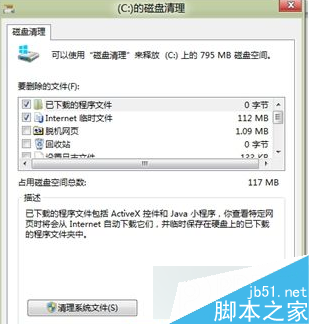
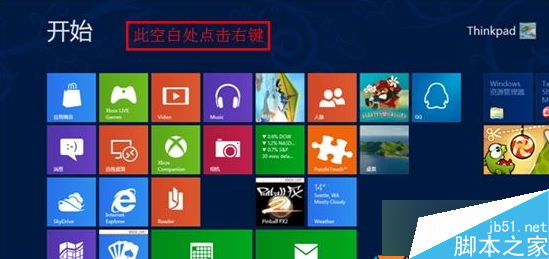
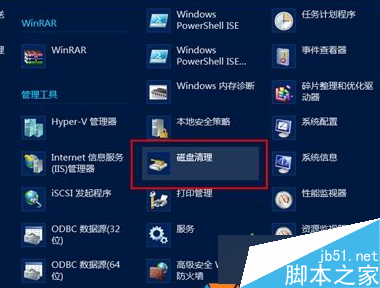
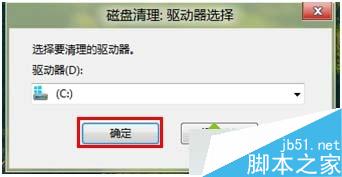
Win8 清理磁碟兩種方法:
文章附磁碟屬性與開始選單操作截圖,定期清理可加速系統運行。
Windows 10 試用評測:經典開始選單回歸、工作檢視、虛擬桌面、命令列支援貼上、觸控優化
Win7 開啟資源回收筒提示「此項目屬性未知」?群組原則修復
Windows XP 建立 PPTP VPN 連線圖文教學:九步驟從新增連線到撥號登入
Win7開啟事件追蹤查詢異常關機原因:群組原則或登錄啟用「顯示關機事件追蹤程式」
Windows 7 使用調變解調器電話啟動啟用授權
Windows 10 Build 9879 即將推送至 Slow Ring:任務列搜尋/工作檢視可隱藏、OneDrive 選擇性同步、觸控手勢、MKV 原生支援等大量改進
Win10 休眠選項找不到?教你啟用與設定完整圖文教學
Win10 週年更新 14393 最新虛擬機與 SDK 下載 (9 月版)