若想讓 Windows 10 運行更流暢,可啟用「高效能」電源計畫,並微調進階設定以釋放硬體效能。以下為詳細操作步驟。
啟用高效能模式
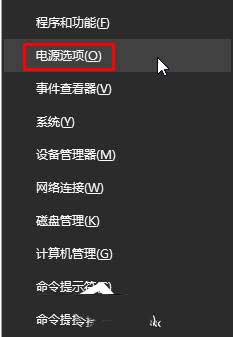
- 按下 Win + X 選擇「電源選項」。
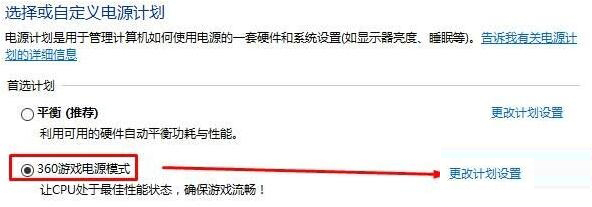
- 在已選取的計畫右側點選「變更計畫設定」。
- 點選「變更進階電源設定」。
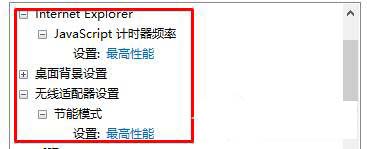
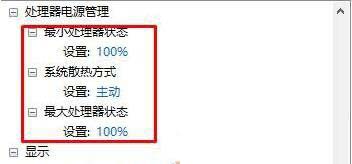
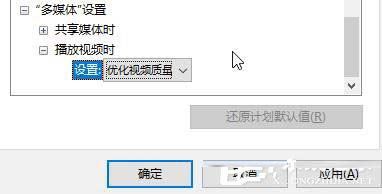
- 依序調整下列項目為最高效能:
• Internet Explorer → JavaScript 計時器頻率:最高效能
• 無線網路卡 → 省電模式:最高效能
• 處理器電源管理 → 最小/最大處理器狀態:100%
• 系統散熱方式:主動式
• 多媒體設定 → 影片播放品質優化:最佳效能
- 點選「套用」並「確定」儲存。
設定完成後,系統將以最高效能運行,適合遊戲或高負載作業,但筆電續航力會下降,請視需求切換。