Windows 10 早期預覽版可透過修改登錄啟用暗黑主題,正式版則可使用自訂 .theme 檔案達成類似效果(視覺上更柔和)。以下提供完整製作與套用步驟:
; Copyright © Microsoft Corp.

[Theme]
; Windows - IDS_THEME_DISPLAYNAME_AERO
DisplayName=AllDarkEveV2
ThemeId={30C467D0-E8DB-46AC-BC88-C9A157F57D63}

[Control Panel\Desktop]
PicturePosition=4

[VisualStyles]
Path=%SystemRoot%\Resources\Themes\Aero\AeroLite.msstyles
ColorStyle=NormalColor
Size=NormalSize
AutoColorization=0
ColorizationColor=0X7F000000
VisualStyleVersion=10
HighContrast=3

[MasterThemeSelector]
MTSM=RJSPBS

[Control Panel\Colors]
ActiveBorder=45 45 45
ActiveTitle=45 45 45
AppWorkspace=45 45 45
Background=45 45 45
ButtonAlternateFace=192 192 192
ButtonDkShadow=45 45 45
ButtonFace=45 45 45
ButtonHilight=45 45 45
ButtonLight=45 45 45
ButtonShadow=128 128 128
ButtonText=220 220 220
GradientActiveTitle=128 0 128
GradientInactiveTitle=0 128 0
GrayText=128 128 128
Hilight=128 128 128
HilightText=252 252 252
HotTrackingColor=220 220 220
InactiveBorder=45 45 45
InactiveTitle=45 45 45
InactiveTitleText=192 192 192
InfoText=255 255 255
InfoWindow=45 45 45
Menu=45 45 45
MenuBar=45 45 45
MenuHilight=128 0 128
MenuText=255 255 255
Scrollbar=45 45 45
TitleText=220 220 220
Window=45 45 45
WindowFrame=45 45 45
WindowText=220 220 220
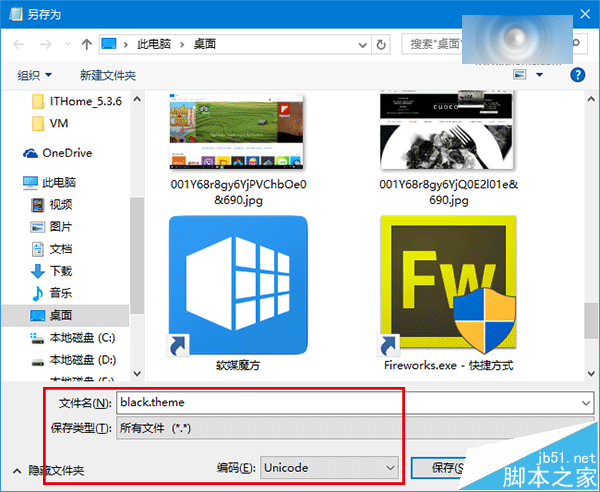
.theme 格式(存檔類型選「所有檔案」,編碼選 Unicode),檔名自訂(如 AllDarkEveV2.theme)。C:\Users\(您的使用者名稱)\AppData\Local\Microsoft\Windows\Themes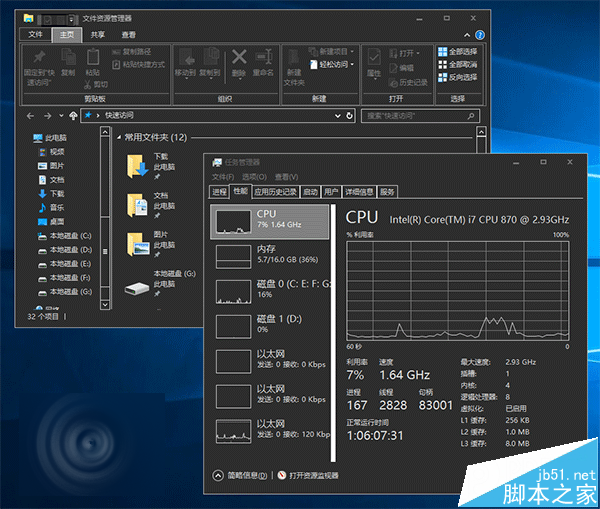
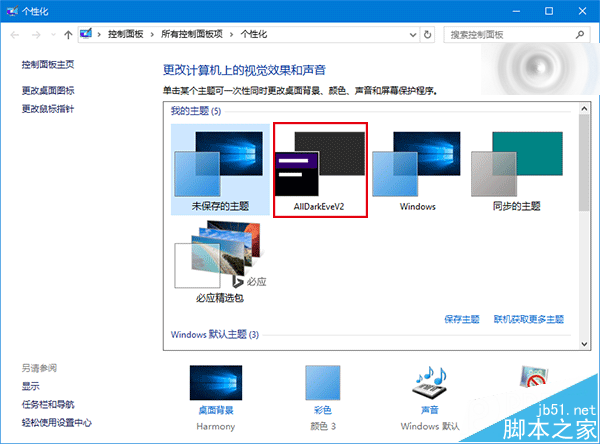
注意:套用過程可能出現「請稍候」假死狀態,按 Ctrl+Alt+Del 選擇「鎖定」再解鎖即可恢復。若主題未生效,可在「設定 → 個人化 → 主題 → 主題設定」中手動選擇 AllDarkEveV2 套用。