Win8.1 便箋功能如何使用?針對剛升級用戶整理操作教學,便箋為方便記錄備忘資訊的實用功能。
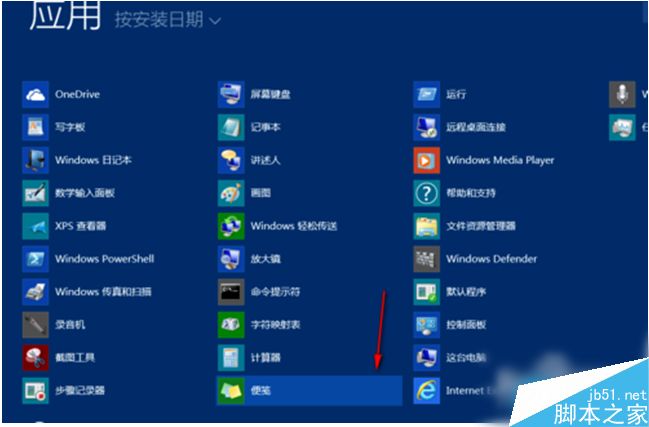
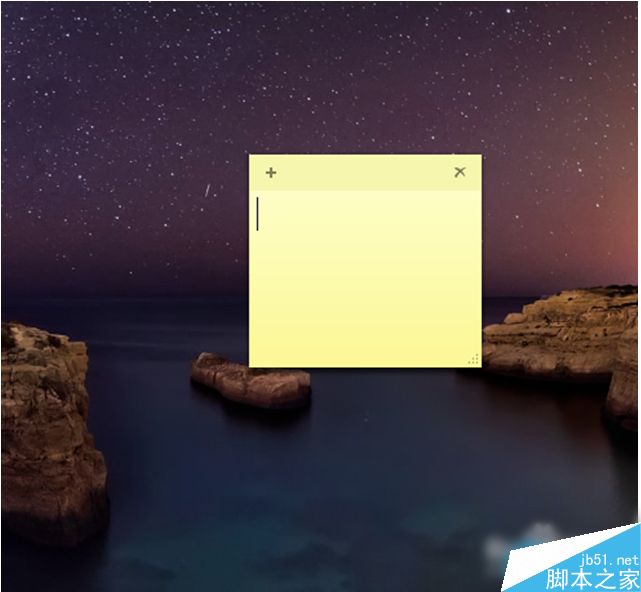
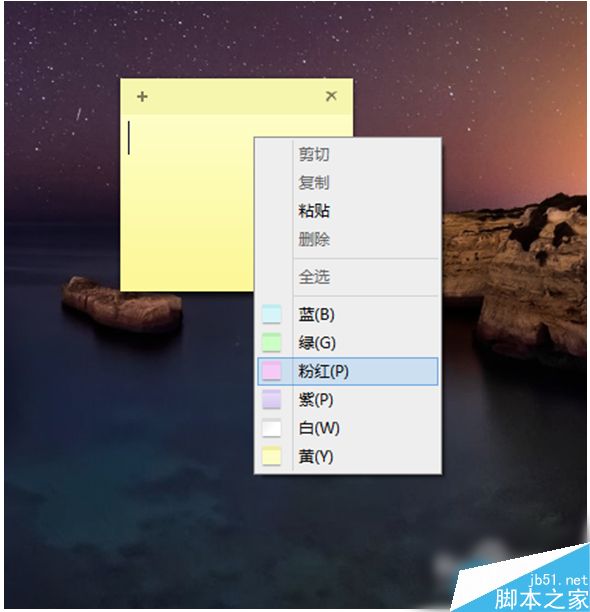
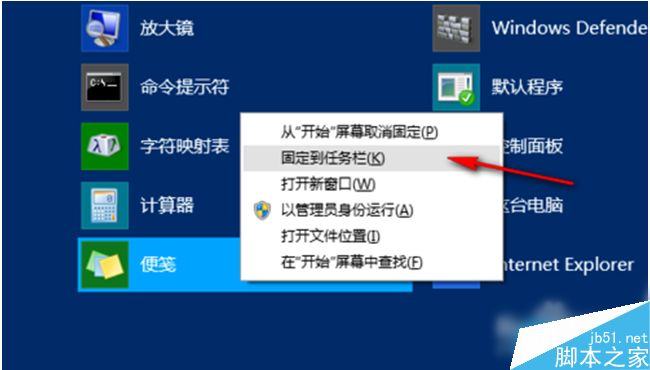
操作步驟:
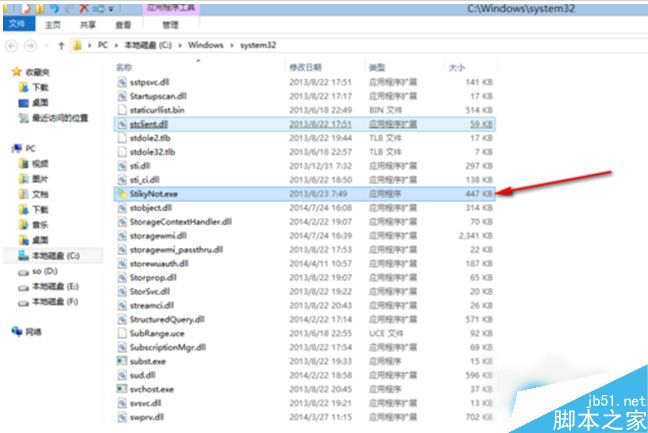
C:\Windows\System32\StikyNot.exe
以上為 Win8.1 便箋功能完整使用教學,感謝閱讀。
Windows 7 內建疑難排解功能深度體驗:PowerShell 腳本驅動的自動診斷修復
Windows 7 網路連線失敗錯誤 797 成因與解決辦法:檢查 Modem、網卡驅動、撥號設定
Windows 8.1 開啟「系統設定」(msconfig) 三種快速方法
Win10 安裝杜比音效 Dolby V4.1 進階教學:群組原則控制驅動簽名與安裝順序
Windows 建立家庭群組必開服務與協定完整檢查清單
升級 Windows 10 後如何還原至 Windows 7/8.1:千萬別刪 Windows.old 資料夾
Win8 应用程序快速查找与启动全攻略:搜索、开始屏幕、任务栏工具栏三大法
Win10 圖片檢視器全螢幕模式:F11 進入幻燈片、ESC/右鍵退出