重裝 Win7 後滑鼠右鍵無反應,通常是登錄 NoViewContextMenu 被設為 1 導致。修復步驟:
regedit 開啟登錄編輯器。HKEY_CURRENT_USER\Software\Microsoft\Windows\CurrentVersion\Policies\Explorer。NoViewContextMenu,將數值資料改為 0,或直接刪除該值。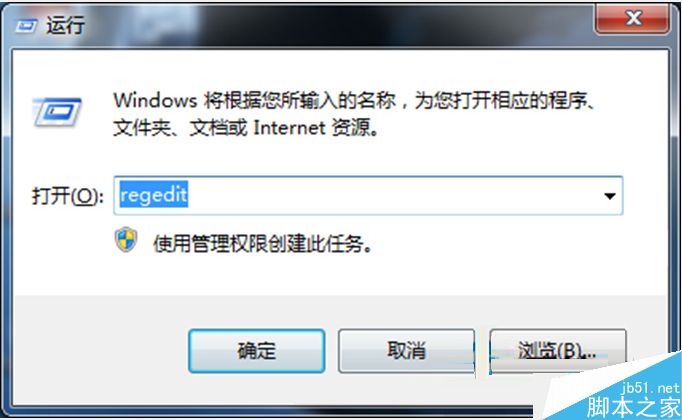
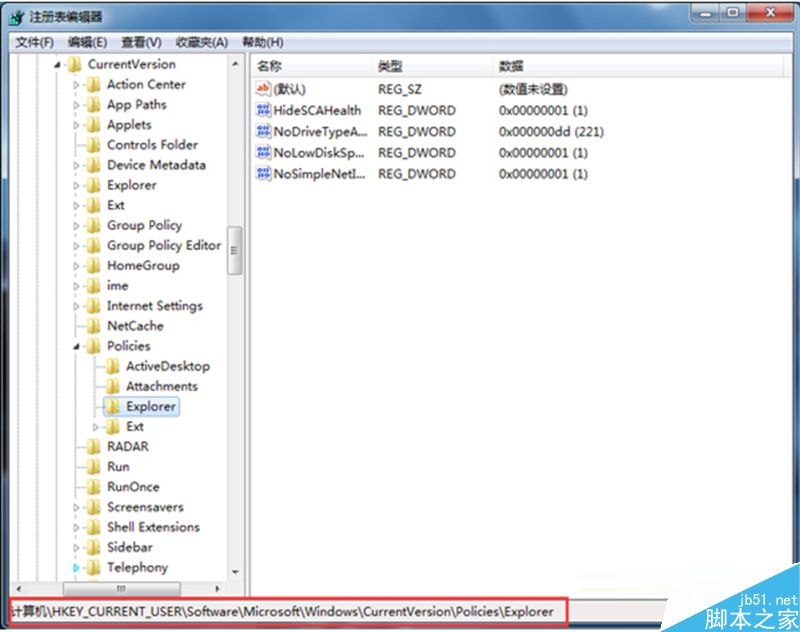
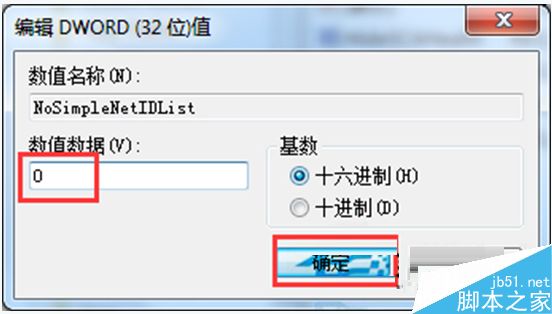
此值常被群組原則或優化工具誤設,改回 0 即恢復右鍵選單功能。
Win10 9926 啟用 IE11 內建 Spartan Edge 引擎步驟:about:flags 設定實驗性平台功能
善用 IE 追蹤保護功能封鎖浮動廣告、彈出視窗與第三方追蹤器
修改 Windows 遠端桌面預設連接埠 3389:登錄雙機碼同步修改教學
Windows 與 Linux 檔案系統互存取完整方案:Samba (CIFS) 與 mount.cifs 雙向共享實戰
Win10 Build 9879 安裝教學含官方下載:ISO 掛載 / 隨身碟 / 硬碟安裝全攻略
Win7 開啟 IE 提示「已停用的增益集,網頁內容無法顯示」?兩步驟修復捷徑參數錯誤