Win10 Redstone 預覽版向 Insider 開放 Edge 擴充功能測試,為紅石更新重點新功能之一。正式版發布後可從應用程式商店安裝,預覽版需手動安裝:

安裝步驟
- 下載擴充功能(預覽版): 微軟官方提供下載:微軟翻譯、滑鼠手勢、Reddit Enhancement
- 解壓縮: 執行下載的 .exe 自動解壓,**注意:無論下載至何處,最終皆解壓至使用者「下載」資料夾**
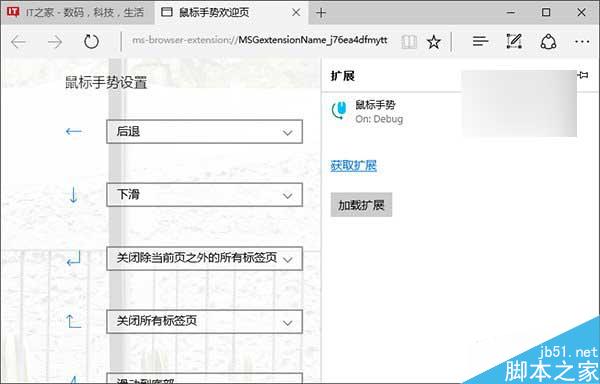
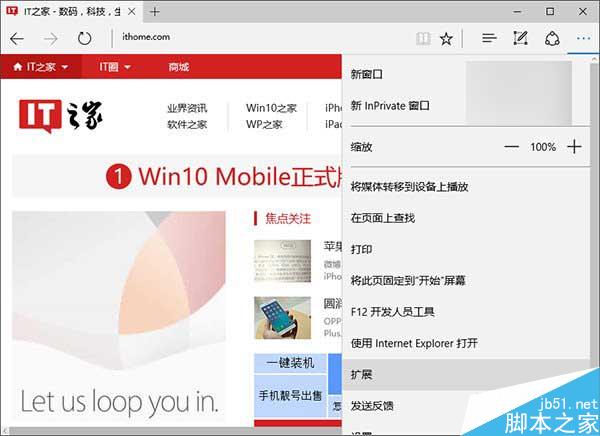
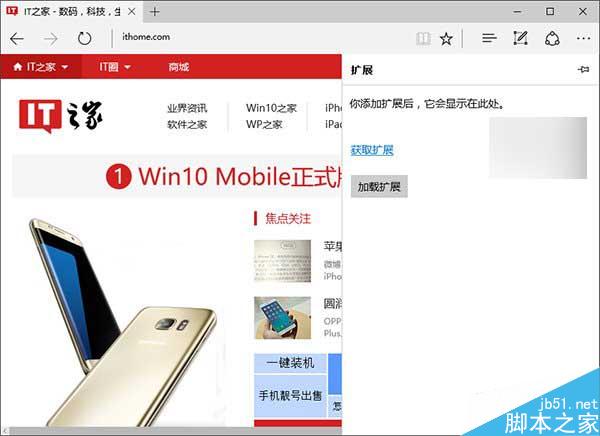
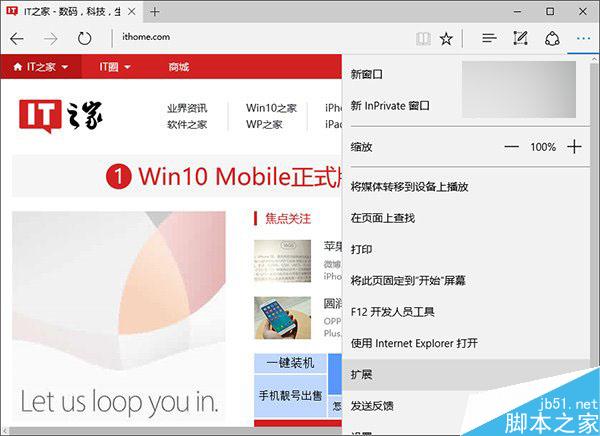
- 載入擴充功能: 開啟 Edge → 右上角「...」→ 「擴充功能」→ 「載入擴充功能」→ 從「下載」資料夾選擇解壓後的擴充功能資料夾
瀏覽器自動配置並啟用擴充功能,彈出歡迎頁面顯示使用教學。
微軟官方安裝教學影片