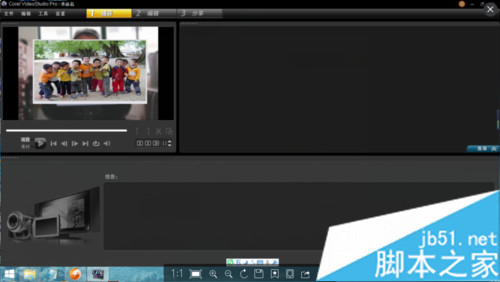
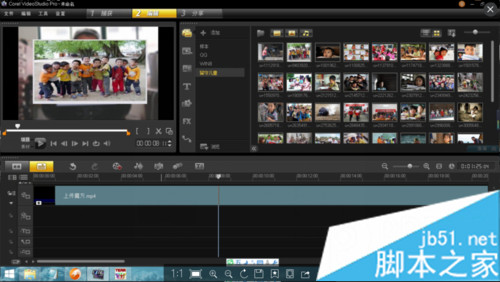
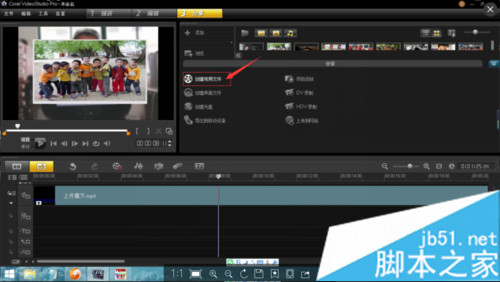
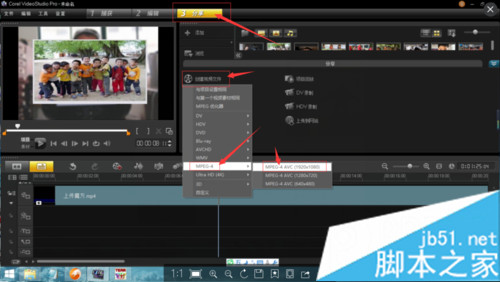
使用會聲會影剪輯完成後,需輸出相容手機、電腦、網站上傳且保持高畫質的 MP4 檔案。選擇「分享」→「建立視訊檔案」→「MPEG-4」→ 第一項 1920×1080 即可輸出全高清 MP4。
渲染完成即獲得高畫質 MP4,可直接上傳至各大平台或行動裝置播放。
Win10 預覽版提供完整桌面化操作:關閉啟動延遲讓桌面應用即時啟動
Windows 10 10159 升級到 10162 完整教學:簡化為三階段,約 30 分鐘完成
Windows 7 禁止 USB 裝置自動安裝驅動程式:修改 inf 資料夾權限
Win10 鎖屏後螢幕 1 分鐘自動關閉怎麼關閉?登錄表+電源選項雙重設定徹底解決
Win8.1 退出家庭群組完整圖文教學
Win7 徹底關閉 HomeGroup 家庭群組:停用兩項服務移除導覽列連結
Windows 10 安裝 CAJViewer 文獻閱讀器完整圖文教學
Win10 Mobile 正式版大規模推送啟動:分四批次、夏末前完成、Lumia 530 需手動升級