Win7 執行《英雄聯盟》時彈出「LOL 進程 Client.exe 正在執行,請手動關閉」,主因通常是進程殘留、QT 語音衝突或相容性設定錯誤。依序嘗試以下四招即可解決。
解決方案
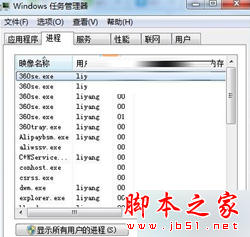
- 結束所有 LOL 相關進程: 工作管理員中強制結束 Client.exe 等進程後重啟遊戲。

- 移除 QT 語音: 部分版本與遊戲不相容,建議直接解除安裝。

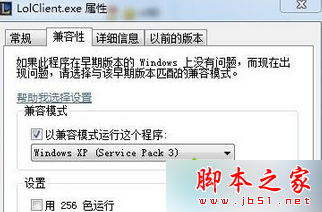
- 設定 LolClient.exe 相容模式: 右鍵 LolClient.exe → 內容 → 相容性 → 勾選「以 Windows XP (Service Pack 3) 相容模式執行」。
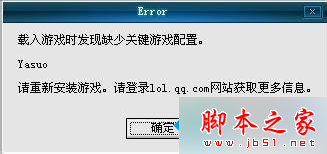
- 重裝遊戲/系統: 若以上無效,遊戲檔案可能損毀,嘗試完整重裝;極端情況下考慮重裝 Win7。