Windows XP Windows 7 Windows 2003 Windows Vista Windows 綜合教學 Linux 系統教學
Windows 10 Windows 8 Windows 2008 Windows NT Windows Server 電腦軟體教學
您现在的位置: Windows教程網 >> Windows教程 >  >> Windows 綜合教學 >> 關於 Windows

用 Windows 畫圖工具給圖片加浮水印:免安裝軟體、透過 Word 製作透明背景

編輯:關於 Windows

無需安裝軟體,利用 Windows 內建「畫圖」與 Word 即可為照片加入文字/圖片浮水印。

步驟

  1. 製作透明背景水印素材(Word):
    ① 插入藝術字/文字方塊,設定字型、顏色、大小。
    ② 或插入圖片→「圖片工具」→「設定透明色」點擊背景移除。
    ③ 選取水印物件 → Ctrl+C 複製。
  2. 畫圖貼上水印:
    ① 開啟畫圖 → 開啟目標照片。
    ② 「影像」→取消「不透明處理」。
    ③ Ctrl+V 貼上 → 調整位置大小 → 存檔。
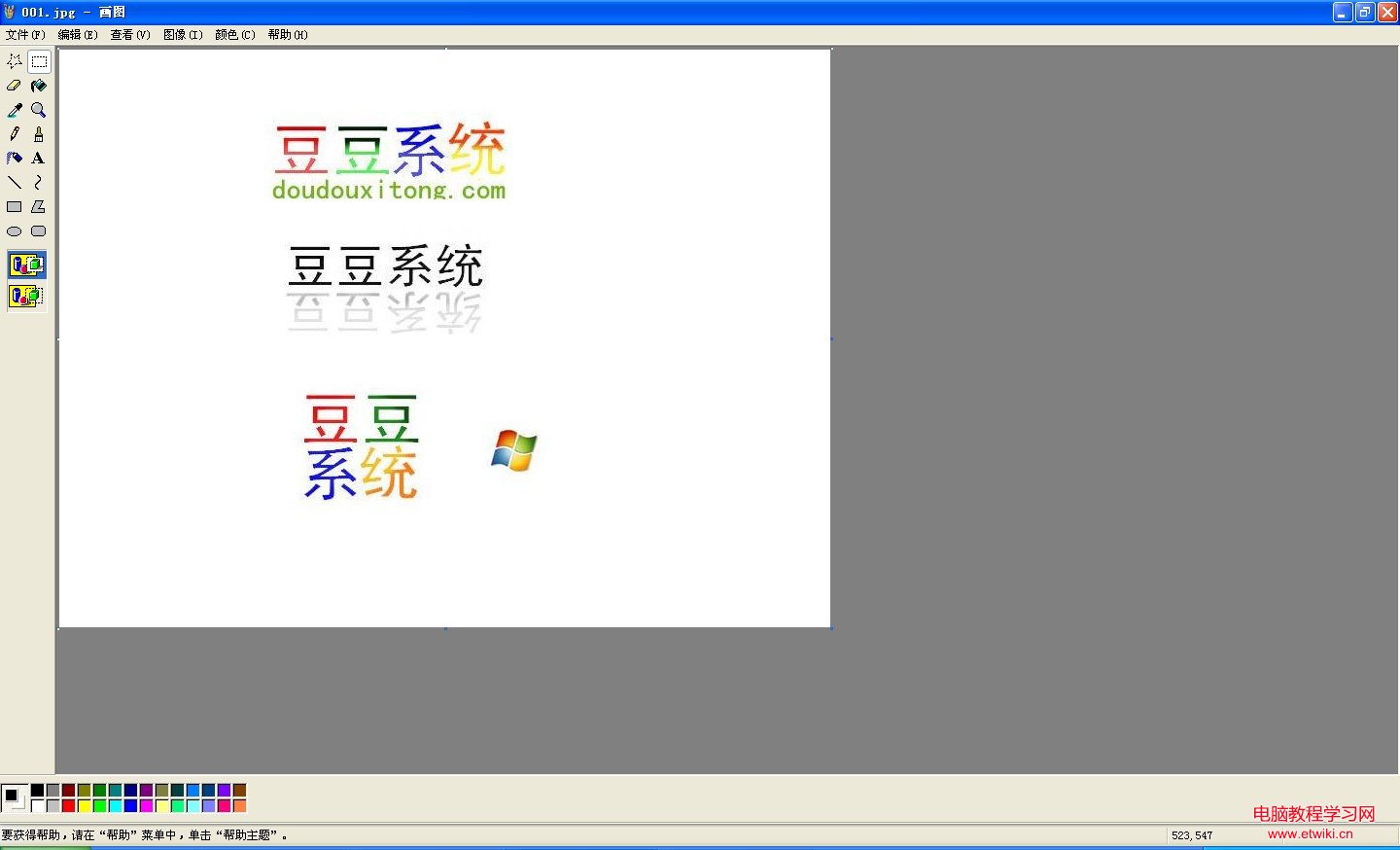
畫圖加水印示意

畫圖也可直接用「A」文字工具輸入文字水印,但效果不如藝術字美觀。此法簡單免安裝,適合偶爾需求。

Copyright © Windows教程網 All Rights Reserved