Win7 旗艦版瀏覽網頁時,點擊任何二級連結(子頁面連結)皆開啟空白頁,重裝/更換瀏覽器無效,系統層面元件異常。
cmd 開啟命令提示字元。for %1 in (%windir%\system32\*.dll) do regsvr32.exe /s %1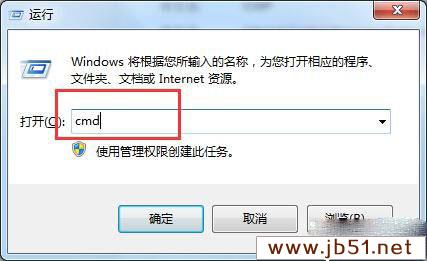
指令會遍歷 C:\Windows\System32 所有 DLL 檔案並靜默重新註冊 (/s),修復因註冊表損壞、軟體衝突導致的 COM 元件/瀏覽器幫助物件失效,恢復連結導航功能。
Win10 無法還原回 Win7 怎麼辦?備份 windows.old 與 $windows.~bt 關鍵資料夾教學
Windows 7 啟用登入稽核:記錄上次登入時間與失敗嘗試
Win10 找回 Win7 經典開始選單:Classic Shell 免費工具完美還原 Win7/WinXP/Win2000 風格
刪除 C 槽 windows.old 資料夾釋放空間:磁碟清理工具一鍵移除舊系統備份
在 Windows 8 Metro 介面以其他使用者身分執行應用程式:群組原則啟用
Windows 10 TH2(11 月更新)正式推送:任務啟動速度較 Win7 提升 30%、Edge 收藏夾同步、Cortana 支援手寫、數千驅動更新