無需第三方軟體,Win 內建 `shutdown` / `at` 指令即可實現定時/倒數關機,乾淨無綁架軟體。
方法一:倒數計時關機 (shutdown)
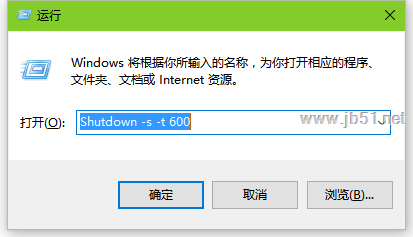
- Win + R → 輸入:
shutdown -s -t 600
- -s = 關機 (shutdown)
- -t 600 = 600 秒後執行 (10 分鐘),依需求修改秒數 (1 小時 = 3600,30 分鐘 = 1800)。
- 按 Enter 執行,系統提示「Windows 將在 10 分鐘後關機」。

方法二:定時關機 (at)
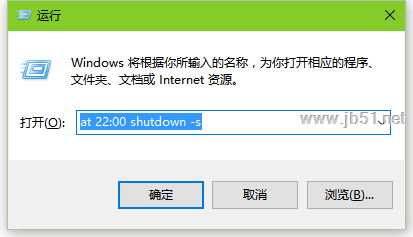
- Win + R → 輸入:
at 22:00 shutdown -s
- 22:00 = 晚上 10 點執行 (24 小時制),依需求修改時間。
- `at` 服務 (Schedule 服務) 需啟動 (預設為自動)。
取消已排程關機
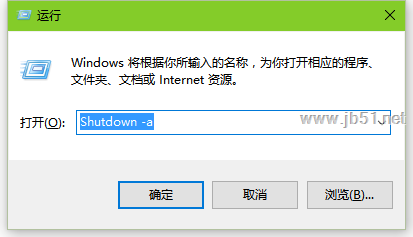
- Win + R → 輸入:
shutdown -a
- -a = abort (中止)
- 系統提示「已取消排程關機」。
進階:工作排程器圖形化設定 (永久/重複排程)
- Win + R → `taskschd.msc`
- 右側「建立基本工作」→ 名稱/描述 → 觸發條件 (每日/每週/每月/單次/登入時/閒置時) → 動作:「啟動程式」
程式: `shutdown.exe`
引數: `-s -t 0` (立即關機) 或 `-r -t 0` (重開機)
- 完成。可隨時啟用/停用/刪除任務。
注意
- 關機前請儲存所有未存檔工作,`shutdown` 強制關閉程式不提示儲存。
- `at` 指令在 Win10 部分版本已棄用/需啟用 Schedule 服務,建議改用工作排程器或 `shutdown -t`。
- 遠端關機:`shutdown /m \\ComputerName /s /t 60 /c "維護關機"` (需管理員權限、RPC 服務啟用)。