Windows XP Windows 7 Windows 2003 Windows Vista Windows 綜合教學 Linux 系統教學
Windows 10 Windows 8 Windows 2008 Windows NT Windows Server 電腦軟體教學
您现在的位置: Windows教程網 >> Windows教程 >  >> Windows 綜合教學 >> 關於 Windows

Windows 10 C 槽垃圾清理完整教學:磁碟清理工具深度掃描系統檔案

編輯:關於 Windows

Windows 10 使用一段時間後 C 槽空間暴增、系統變慢,透過內建「磁碟清理」工具深度掃描系統檔案,可安全刪除暫存檔、更新備份、舊版 Windows 安裝檔(Windows.old)等大型垃圾。

操作步驟

  1. Win+R → 輸入 cleanmgr.exe → 確定。
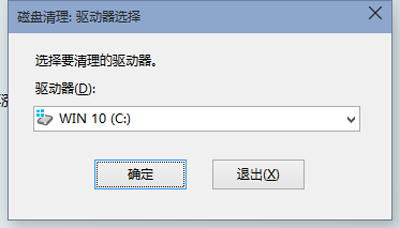
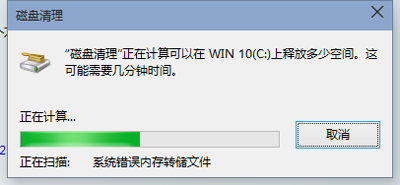
  2. 選擇 C 槽 → 確定 → 等待掃描完成。
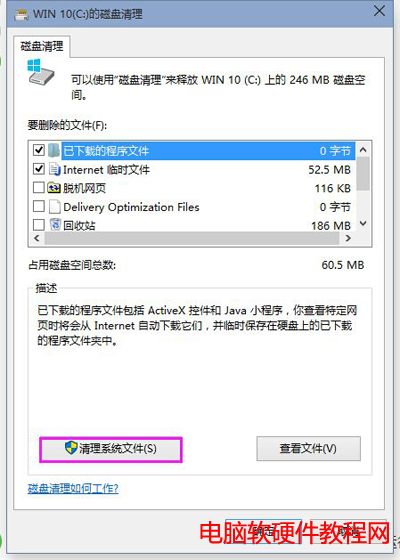
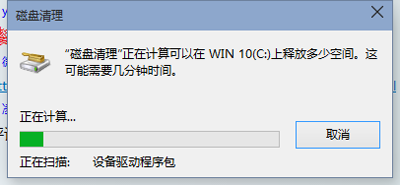
  3. 點選「清理系統檔案」 → 再次選 C 槽 → 掃描系統層級垃圾。
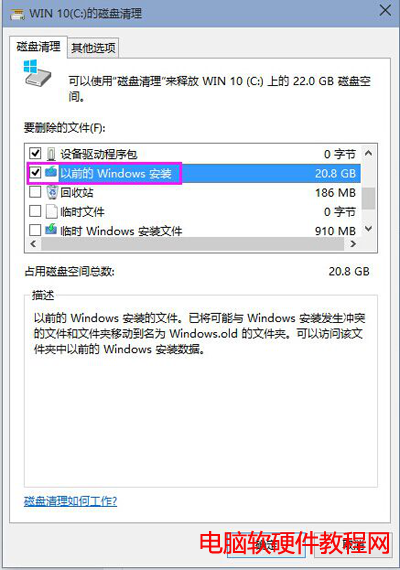
  4. 勾選「以前的 Windows 安裝」(通常佔用最大,數 GB 至數十 GB)、「Windows 更新清理」、「暫存檔案」、「回收站」等 → 確定刪除。
  5. 等待刪除完成(大型檔案需數分鐘),C 槽空間大幅釋放。

建議每月執行一次,搭配「儲存空間感知」自動清理暫存檔,保持系統輕快。
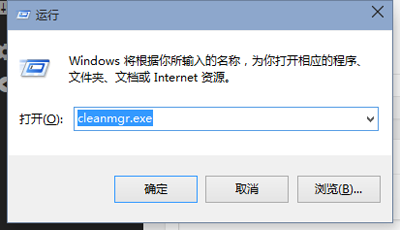
執行 cleanmgr
選擇磁碟
掃描中
清理系統檔案按鈕
系統檔案掃描
勾選以前的 Windows 安裝

Copyright © Windows教程網 All Rights Reserved