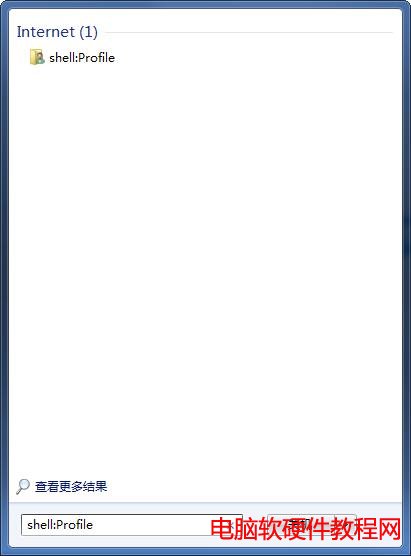
Shell 指令非程式,而是透過 Win+R「執行」或開始功能表搜尋直接開啟系統特殊資料夾(文件、下載、桌面、啟動資料夾等),無需記憶實體路徑,極大提升操作效率。
| 指令 | 開啟目標 |
|---|---|
shell:Profile / shell:UsersFilesFolder | 目前使用者根目錄 |
shell:Personal | 我的文件 |
shell:My Music | 我的音樂 |
shell:My Pictures | 我的圖片 |
shell:My Video | 我的影片 |
shell:Desktop | 桌面 |
shell:Downloads | 下載 |
shell:Favorites | IE 收藏夾 |
shell:SendTo | 傳送到選單 |
shell:Startup / shell:Common Startup | 目前使用者/所有使用者啟動資料夾 |
shell:Cookies / shell:Cache | IE Cookie/快取 |
shell:Programs / shell:Common Programs | 目前/所有使用者開始功能表程式清單 |
shell:ConnectionsFolder | 網路連線 |
shell:Public | 公用文件 |
shell:Common Desktop | 公用桌面 |
所有指令均可在「執行」或開始搜尋直接輸入執行,支援 Win 7/8/10/11 全版本。
解決 Windows 7 開啟 360 安全衛士提示「hosts 已被更改」問題
Win10 內建管理員帳號被停用無法登入?PE 環境下利用 sethc.exe 替換法重啟管理員
Win7 64位 自訂輸入法圖標:右鍵輸入法→設定→中文美式鍵盤屬性→更改圖標,可選內建或外部圖示
平板電腦升級 Win10 教學:Win8.1 升級 Win10 完整流程
誤刪 $Windows.~BT 資料夾怎麼辦?重啟 wudfsvc 服務觸發重新下載
Windows 10 系統需求與升級完整指南:硬體規格、升級管道、常見問題 FAQ
Windows 8 Modern 應用快取資料夾位置:%userprofile%\AppData\Local\Packages\