C:\Program Files\Internet Explorer\iexplore.exe(64 位元)或 C:\Program Files (x86)\Internet Explorer\iexplore.exe(32 位元)。iexplore.exe →「傳送至」→「桌面捷徑」(若桌面原有圖示屬性顯示為「網際網路選項」而非程式捷徑,需先刪除原圖示,重新建立程式捷徑)。.ico 檔案,確定 → 套用 → 確定。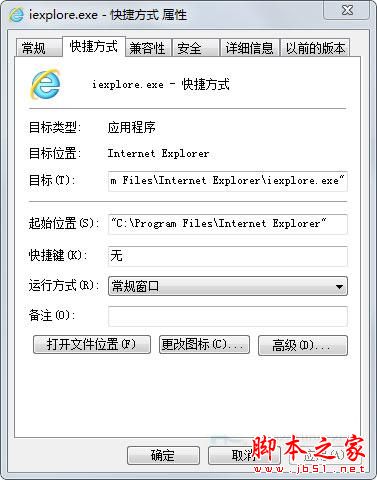
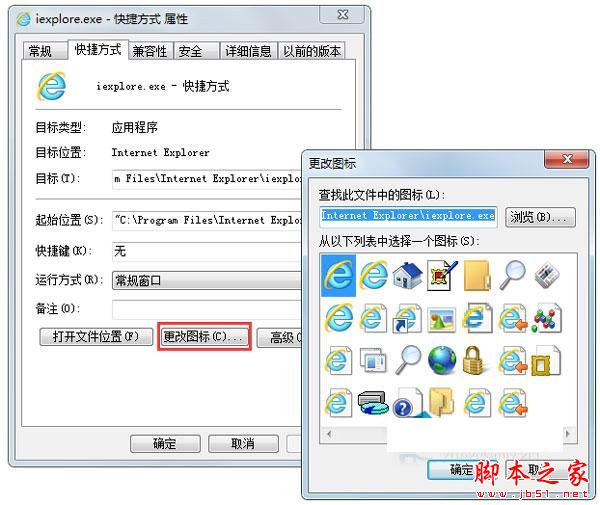
透過建立正確的程式捷徑並修改圖示,即可自由更換 IE 桌面圖示風格,無需第三方工具。
Win7 開啟 Microsoft Outlook 提示「已停止工作」修復指南:DLL 損壞與 Office 修復雙軌解決
Win10 1607 預覽版右鍵「開啟方式」選美圖秀秀無反應?兩招設定預設程式修復
Surface Pro 3 安裝 Windows 10 Build 10122 失敗/回滾?清理驅動程式快取解決
Win10 開始功能表 Metro 圖示點擊無反應?任務管理員重新啟動「Windows 檔案總管」秒修復
Win10 執行程式報錯 0xc000007b?缺少 DirectX 9.0 與 VC++ 執行庫,補裝即可解決
Win10 Mobile预览版10536越用越卡?微软确认并正在修复