用驅動人生評估升級 Win10 時,顯示廠商未提供驅動(如網卡)。因 Win10 初期驅動不全,建議方案:
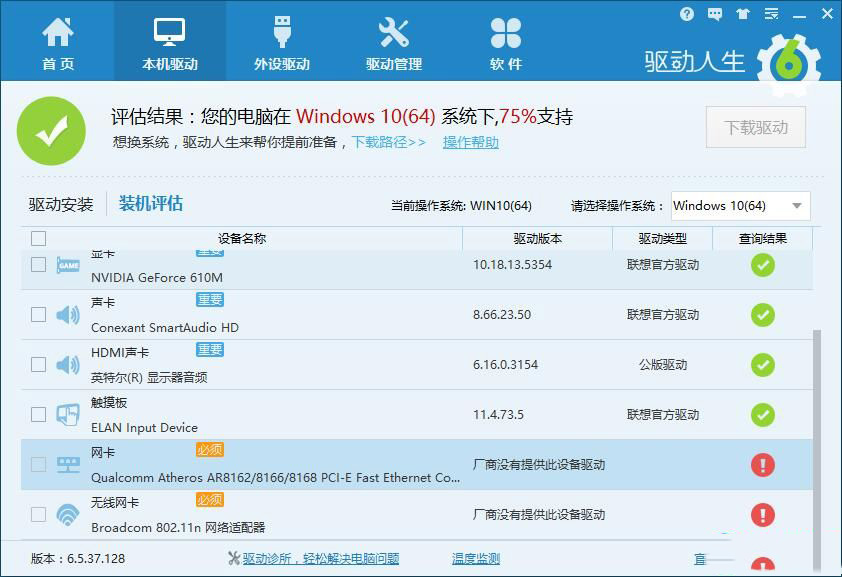
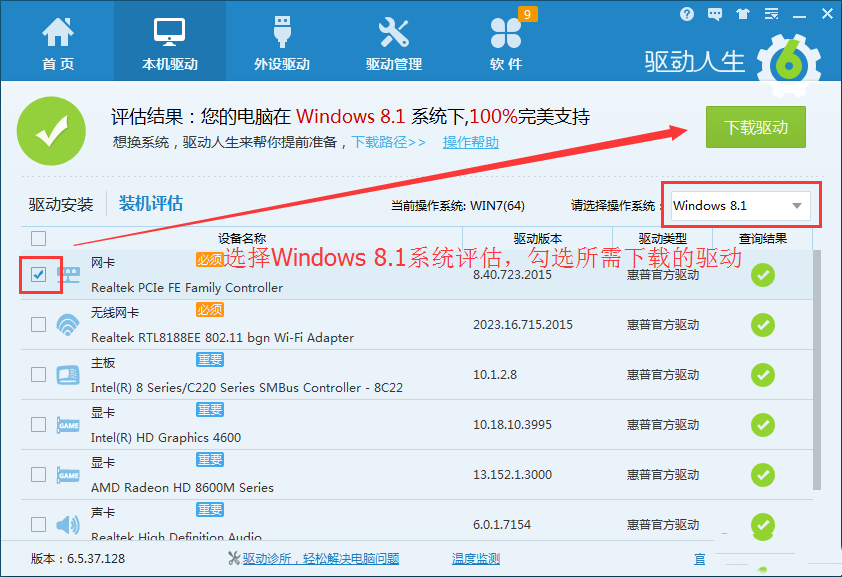
升級前務必用驅動工具評估,缺關鍵驅動建議暫緩升級。更多驅動管理技巧請關注本站!
Win7 移除桌面右鍵選單「小工具」選項:登錄刪除 Gadgets 鍵值
Windows 8 HP 筆電建立「儲存空間」:控制台建立儲存池 → 選擇恢復類型 (簡單/雙向鏡像/三向鏡像/奇偶校驗) → 需符合最少硬碟數量
已預約 Win10 升級未收到推送解決:wuauclt.exe /updatenow 一鍵強制檢查
Win7 玩單機遊戲提示缺少 steam_api.dll?Windows Defender 誤刪為主因,關閉即時防護並從解壓包/破解補丁補回
Win10 9879 版 Steam 崩潰問題解決方案與臨時修正
Win10 區域網路傳輸速度慢怎麼辦?關閉 Large Send Offload v2 與遠端差壓縮 API 兩大解法
Windows 10 新版登入介面 (Build 9888/9901) 登錄檔啟用體驗:Threshold=1 解鎖現代化登入畫面