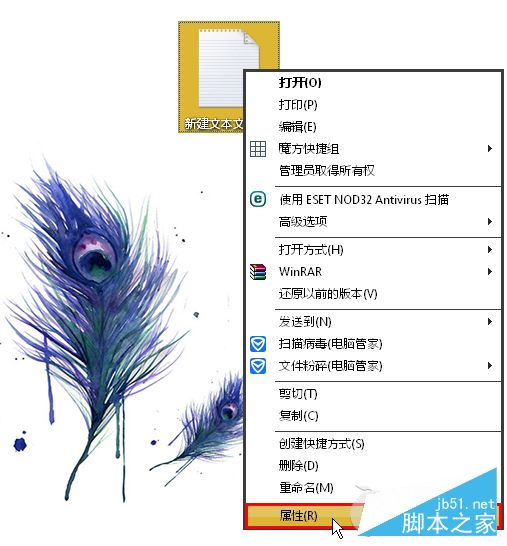
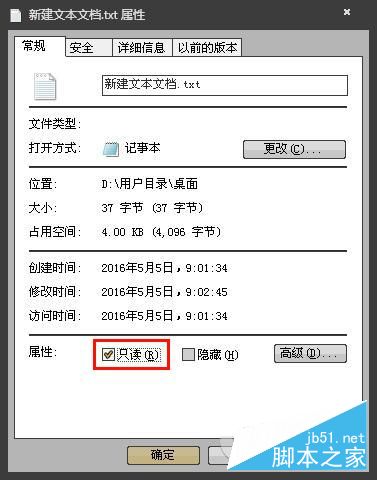
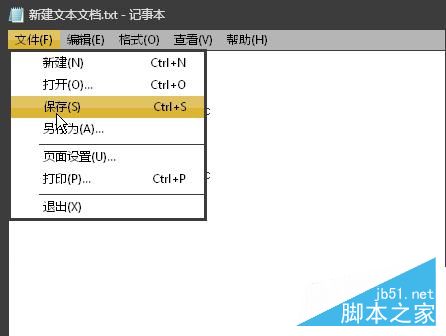
Win7 修改文字檔後無法彈出「另存新檔」,通常是誤勾選檔案「唯讀」屬性。取消即可恢復正常存檔。
若需防止誤修改,可勾選唯讀屬性。更多 Win7 檔案管理技巧請關注本站!
Win10 累積更新 KB3097617 安裝失敗重開機?兩招解決
Windows 8 設定 VPN 虛擬連線教學:同樣需小語網路加速器客戶端
Win7 Word 啟動提示「安全模式」修復:刪除損壞 Normal.dot 範本檔一鍵解決
7 月 29 日 Win10 正式版發布後,Insider 會員註冊仍持續開放
Win10 檔案總管隱藏「常用資料夾」與「最近使用的檔案」保護隱私
WinXP 安裝 HP1010 印表機驅動失敗兩種解法
U 盤/光碟啟動 WINPE 製作完整圖解:老毛桃 U 盤版 + 深山紅葉光碟版
Win9 技術預覽版何時釋出?9/30 媒體發布會非公開下載,大眾版預計 10 月初