360 瀏覽器滑鼠手勢功能導致右鍵拖曳誤觸發頁面切換/關閉。進入設定關閉即可。
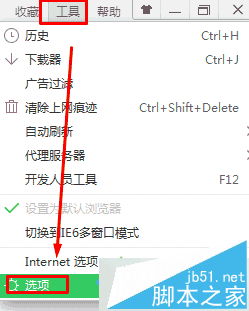
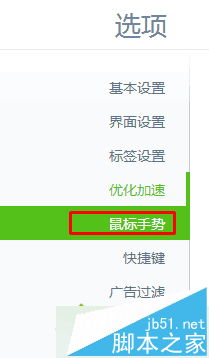
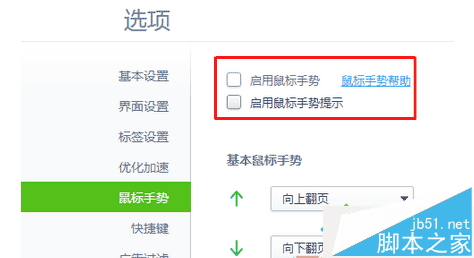
關閉後右鍵拖曳不再觸發手勢操作。依個人習慣選擇開啟或關閉。更多瀏覽器技巧請關注本站!
Windows 8 更新 KB2770917 失敗解決方案:清理啟動服務法
Win10 Edge 瀏覽器與第三方瀏覽器無法開網頁?網路重置、Edge 修復與 Windows 功能啟用三大解法
微軟官方發布 Win10 藍屏死機 (BSOD) 完整修復指南 與預防建議
Windows XP 禁止開機掃描硬碟 (chkdsk) 加快開機速度:登錄檔修改法
Windows 8.1 無法安裝最新版微軟必應輸入法?命令列靜默安裝破解限制
Win10 Build 10064 更新內容提前看:暗黑風格統一、Task View 白色圖示、登入畫面深沉漸層