Windows XP Windows 7 Windows 2003 Windows Vista Windows 綜合教學 Linux 系統教學
Windows 10 Windows 8 Windows 2008 Windows NT Windows Server 電腦軟體教學
您现在的位置: Windows教程網 >> Windows教程 >  >> Windows 綜合教學 >> 關於 Windows

Win8 安裝 ESD 映像提示「Windows 安裝來源無效」?用 ESD Decrypter 解密轉 WIM

編輯:關於 Windows

ESD (Electronic Software Download) 為微軟加密壓縮格式,體積比 WIM 小 30% 以上,但舊版 DISM/安裝程式無法直接讀取。需用 ESD Decrypter (esd-decrypter-v4c) 解密為標準 WIM 或解密後 ESD。

操作步驟

  1. 下載 esd-decrypter-v4c (含 decrypt_CHN.cmd) 解壓到資料夾。
  2. 將下載的 .esd 檔複製到同目錄 (與 decrypt_CHN.cmd 同層)。
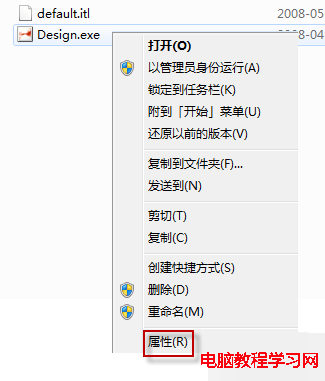
  3. 右鍵 .esd →「內容」→ 取消勾選「唯讀」→ 確定。
  4. 以系統管理員身分執行 decrypt_CHN.cmd → 按 Enter → 選 1 (解密 ESD) → 等待完成。
  5. 同目錄產生解密後 .esd 或 .wim,即可用 DISM/NTLite/WinNTSetup 等工具部署安裝。
提示: Win10 1709+ 內建 DISM 已支援直接適用 ESD,若環境較新可嘗試直接掛載 dism /Mount-Image /ImageFile:install.esd /Index:1 /MountDir:C:\Mount。

Copyright © Windows教程網 All Rights Reserved