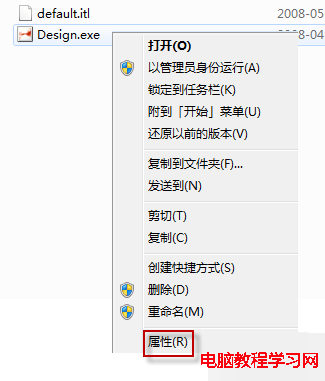
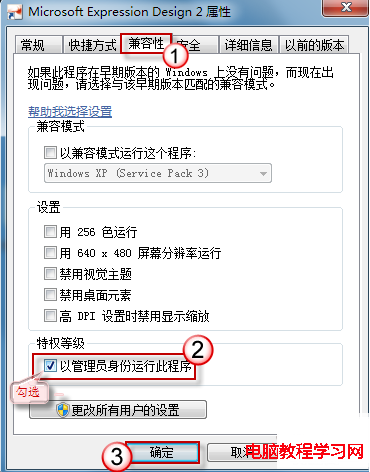
特定程式每次需右鍵「以系統管理員身分執行」很麻煩。在程式捷徑/執行檔「內容」→「相容性」→ 勾選「以系統管理員身分執行這個程式」,以後雙擊即自動提權。
C:\Program Files、C:\Windows、登錄檔 HKLM 的舊版/攜帶版程式。Win10 磁碟使用率 100% 卡頓?10 招優化徹底解決
升級 Win10 後出現錯誤 0x8024402f 怎麼辦?同款修復指令碼:重置更新服務與 DLL 註冊
XP 玩 DNF 提示「圖表系統組建失敗」?更新顯卡驅動 + 重裝 DirectX 9.0c 雙管齊下
Win10 飛行模式關不掉/開關卡住/變灰?五步排查法從硬件到註冊表徹底解決
修改 Windows 8 右鍵預設圖片編輯器:透過登錄替換為 Photoshop 等專業軟體
Windows 7 雙系統開機選單等待時間修改教學:縮短開機等待、加快進入系統