Win10 桌面只剩「回收站」,「這台電腦」、「使用者的檔案」、「網路」等系統圖示消失。實際上只是隱藏了,依下列步驟即可找回。
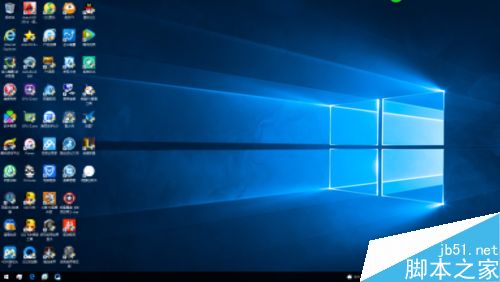
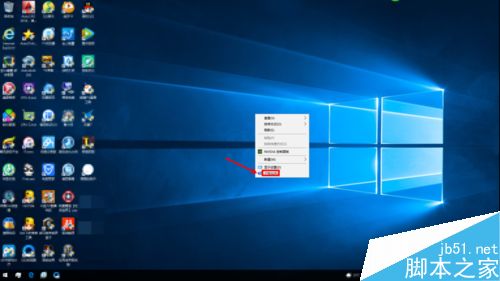
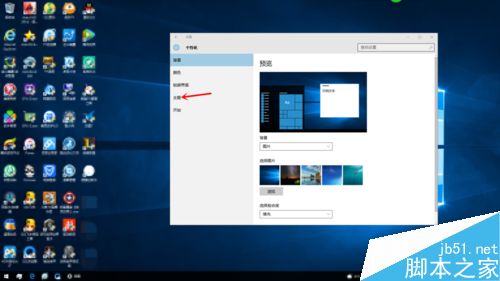
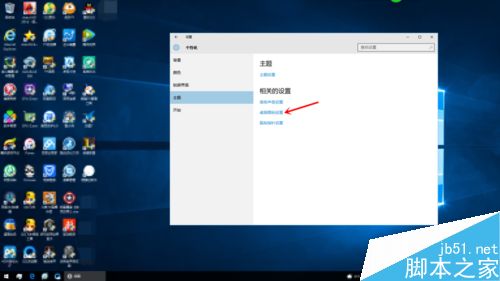
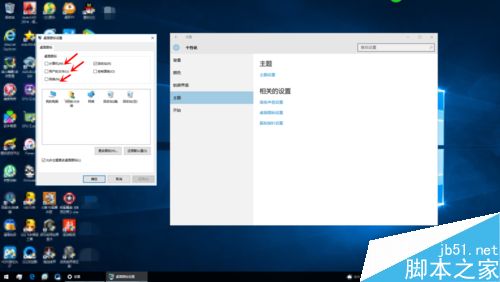
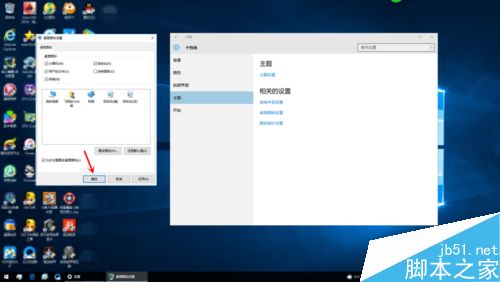
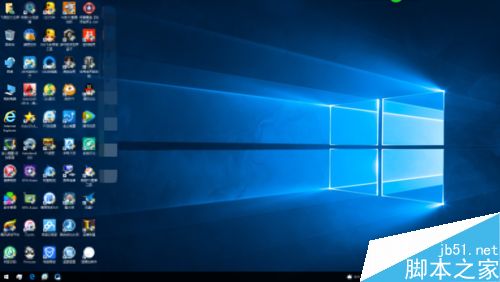
完成後桌面圖示即刻恢復。若圖示顯示異常(白紙圖示),請參考「Win10 桌面圖示顯示不正常解決法」重建圖示快取。
Win 7/8/8.1 免費升級 Win 10 正式版常見問題大全(官方解答)
Win7 網頁遊戲/影片提示「Flash Player 版本過低」?控制台 Flash 設定一鍵更新
Win7/8/10 死機後無法上網、QQ 報錯 0x0000000C:Winsock 目錄重置修復
Win7 傳真掃描功能異常?關閉重開 Windows 功能修復
微軟今日徹底終止 Windows XP 版 MSE 安全防護
XP 連接共享印表機錯誤 0x80070035 完整解決:服務、權限、Guest 帳號三重檢查
Win7/8.1 正版用戶 29 日零點免費升級 Win10,可回滾舊版,零售版 8/30 開售定價:家庭版 888 元、專業版 1799 元