Windows 7 因 DNS 快取過期或錯誤導致網頁無法開啟、網路連線異常時,可透過命令提示字元執行 ipconfig /flushdns 清除 DNS 解析快取,強制重新解析網域名稱。本文提供快速操作步驟。
cmd → 按 Enter 開啟命令提示字元。ipconfig /flushdns 按 Enter。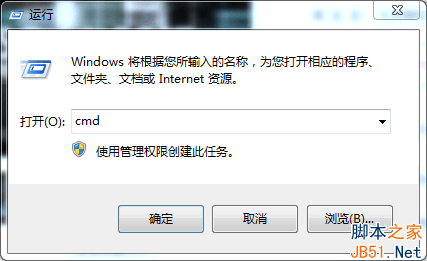
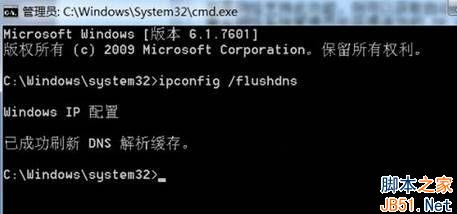
netsh winsock reset 重設網路堆疊。chrome://net-internals/#dns 清除)。一行指令清除 DNS 快取,快速解決網域名稱解析異常,恢復暢快上網體驗!
Win8 開啟/關閉 InPrivate 隱私瀏覽完整教學(含捷徑建立法)
Win7 寬帶連線錯誤 733 解決:停用「為單一連線協商多重連結」
Win7 批次更名檔案:CMD 導出清單 + Excel 公式產生 ren 指令碼
微軟發布會全息影像頭戴裝置 HoloLens 現場直擊:內建 HPU、無線獨立運算、手勢語音交互、NASA 秘密合作
Win10 萬不可安裝 KB3132372 補丁!導致瀏覽器崩潰、卡死、空白嚴重問題
已預約 Win10 升級未收到推送解決:wuauclt.exe /updatenow 一鍵強制檢查
硬碟壞軌修復與使用策略:掃描標記、分區隔離、PartitionMagic 隱藏、Pctools 0 軌屏蔽、低階格式化慎用
Win10 安裝 Office 2016 報錯 30068-4(1058)?ClickToRun 服務被禁用,啟用服務即可修復