Windows XP Windows 7 Windows 2003 Windows Vista Windows 綜合教學 Linux 系統教學
Windows 10 Windows 8 Windows 2008 Windows NT Windows Server 電腦軟體教學
您现在的位置: Windows教程網 >> Windows教程 >  >> Windows 綜合教學 >> 關於 Windows

Win10 升級四大官方管道總整理:ISO、推送、升級助手、第三方工具

編輯:關於 Windows

Win10 正式版釋出,提供四種升級管道供不同需求選擇:

方法一:官方 ISO 檔案安裝(適用所有電腦)

  • 64 位簡體中文家庭/專業版:ed2k://|file|cn_windows_10_multiple_editions_x64_dvd_6848463.iso|4303300608|94FD861E82458005A9CA8E617379856A|/
  • 32 位簡體中文家庭/專業版:ed2k://|file|cn_windows_10_multiple_editions_x86_dvd_6846431.iso|3233482752|B5C706594F5DC697B2A098420C801112|/
  • 請用迅雷下載,掛載 ISO 後執行 setup.exe 安裝。

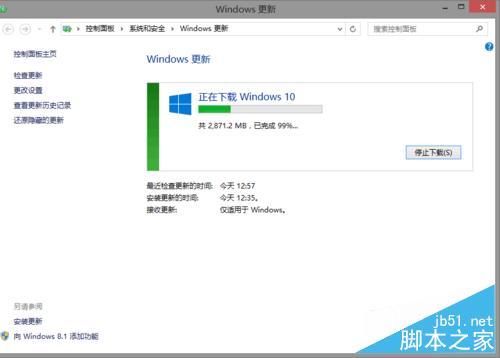
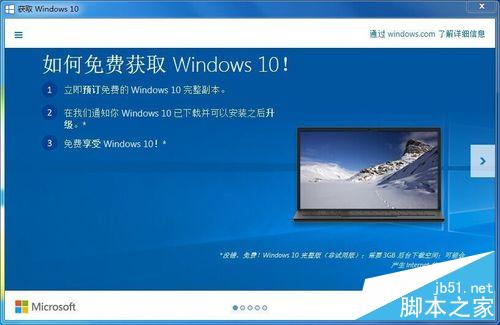
方法二:Windows Update 官方推送(僅 Win7 以上)

  1. 控制台 → Windows Update 安裝所有重要更新並重開機。
  2. 任務列出現推送圖示 → 點選訂閱。
  3. 若無反應:刪除 C:\Windows\SoftwareDistribution\Download 內容與 C:\$Windows.~BT 資料夾 → Win+R 執行 wuauclt.exe /updatenow。
  4. 急躁者可複製 $Windows.~BT 到其他磁碟,執行 sources\setupprep.exe 強制安裝(效果等同推送)。

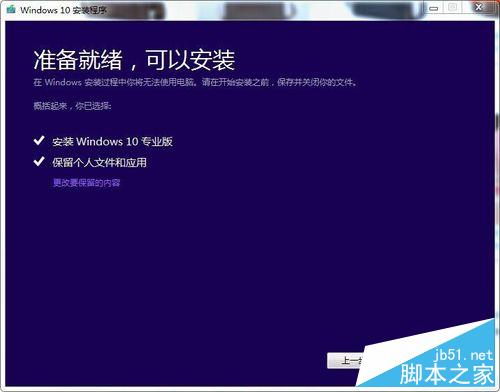
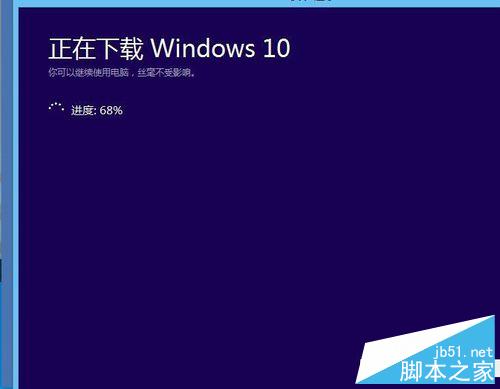
方法三:微軟官方升級助手(XP 以上適用)

  • 下載網址:Microsoft 官網
  • 依嚮導操作即可升級或建立安裝媒體。

方法四:360/騰訊升級助手(全平台適用)

  • 360:官網
  • 騰訊:電腦管家
  • 全程引導免費升級,升級後會預裝對應安全軟體(可自行移除,不影響授權)。

注意事項:

  • 除方法一外,其他皆可穩定升級為正版 Win10。
  • 方法四升級後預裝安全軟體可移除不影響授權。
  • 360/騰訊已於 7/30 停止推送服務,方法四近期可能失效。
Copyright © Windows教程網 All Rights Reserved