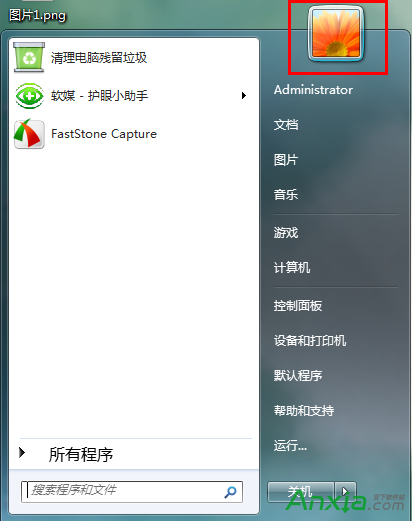
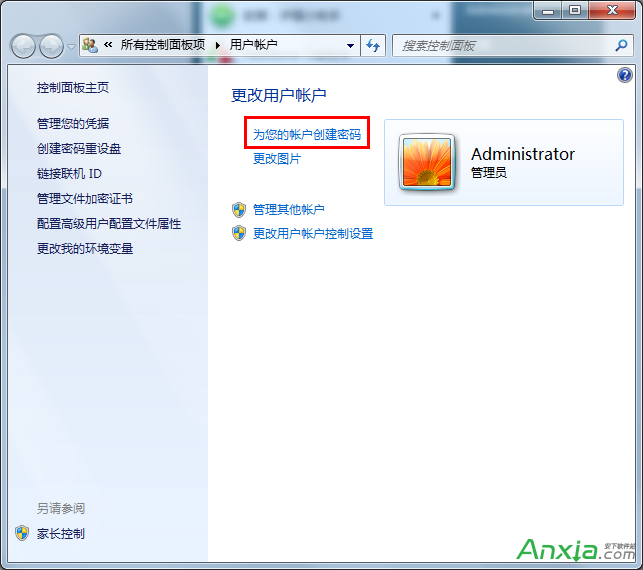
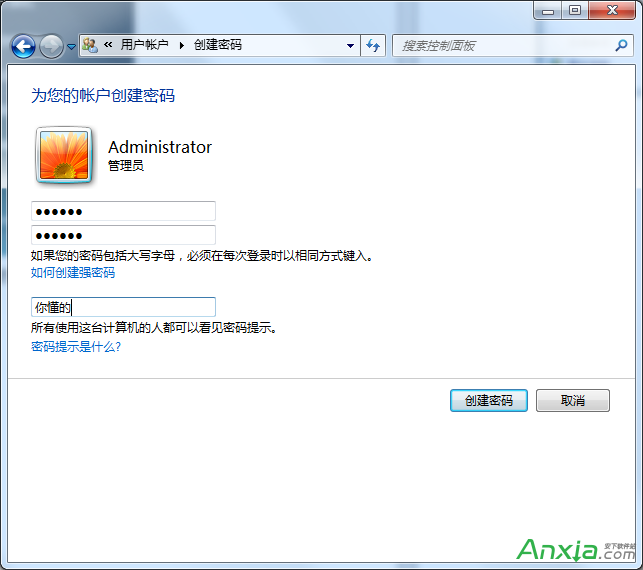
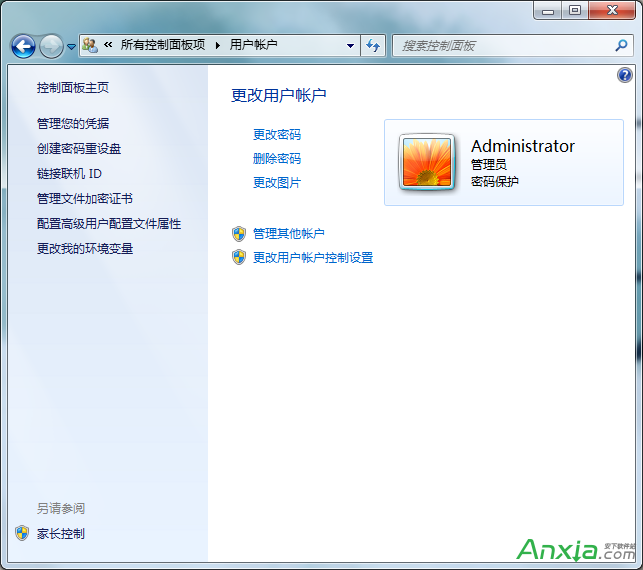
為防止他人未經授權存取電腦,建立開機登入密碼是基本防護措施。Windows 7 設定帳戶密碼非常簡單,以下為完整步驟。
建議: 密碼建議包含大小寫字母、數字、符號,長度 8 碼以上;密碼提示勿過於明顯,避免被他人猜測。
Windows 下安裝與配置 cwRsync (rsync for Windows) 完整實戰指南
Win7 數位板觸控筆連點出現水波紋(右鍵選單)怎麼關閉?
Win7/Win8.1 可直接升級 Win10 保留檔案設定,XP/Vista 需全新安裝
Win10 Mobile 10166 商店驚喜 Bug:可重新安裝已下架應用
Win10 Edge 瀏覽器開發團隊線上問答:擴充功能、全螢幕、平板優化、DLNA 投影等九大關鍵進度揭露
Windows 7 移除虛擬光碟機三種方法完整教學
微軟釋出 Win10 IoT Core Build 10556 物聯網版下載
升級 Win10 14295 後滑鼠跳動、異音?禁用 TPM 維護任務暫時緩解