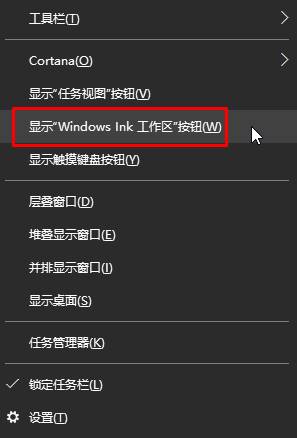
Windows Ink 是觸控筆與觸控螢幕的管理應用,若裝置無觸控功能,保持啟用可能拖慢系統。以下提供兩階段徹底關閉的方法。
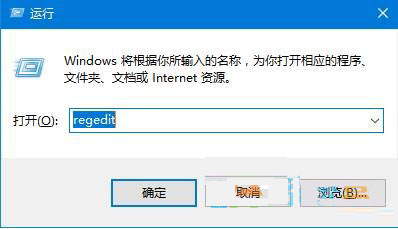
regedit
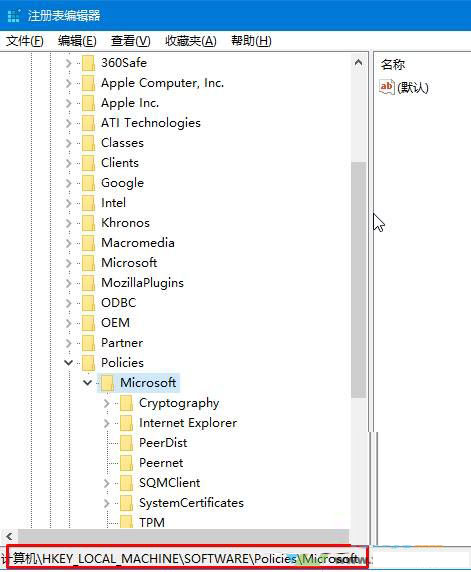
HKEY_LOCAL_MACHINE\SOFTWARE\Policies\Microsoft
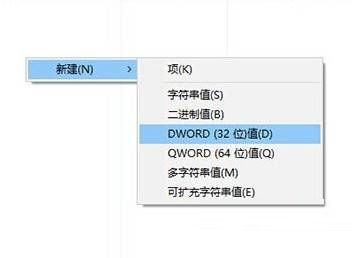
AllowWindowsInkWorkspace
0
完成設定後,Windows Ink 將不再於背景運行,釋放系統資源。
如何選擇 Win 10 分區工具?傲梅分區助手功能深度評測
Win10 Build 10135 更新日誌:Spartan 正式更名 Microsoft Edge、5 款應用更新、Bug 修復
Win10 內建「相片」App 相簿功能完整使用教學
Win10 讓 QQ 永久以「系統管理員身分執行」:相容性設定一次搞定
Win10 vs Win7 深度對比:新系統究竟好在哪?升級前必看分析
Win10 免工具加密資料夾:EFS 檔案系統加密完整教學與憑證備份
XP 鍵盤反應慢怎麼設定?控制台→印表機與其他硬體→鍵盤→調整字元重複率與游標閃爍速度
IIS 是什麼?Win7 旗艦版架設 FTP 站台完整教學