IIS(Internet Information Services)是微軟內建的 Web 伺服器套件,包含 WWW、FTP、NNTP、SMTP 服務,僅 Win7 旗艦版 / 企業版預設包含。以下教學在 Win7 旗艦版啟用 IIS 並建立 FTP 站台:
啟用 IIS
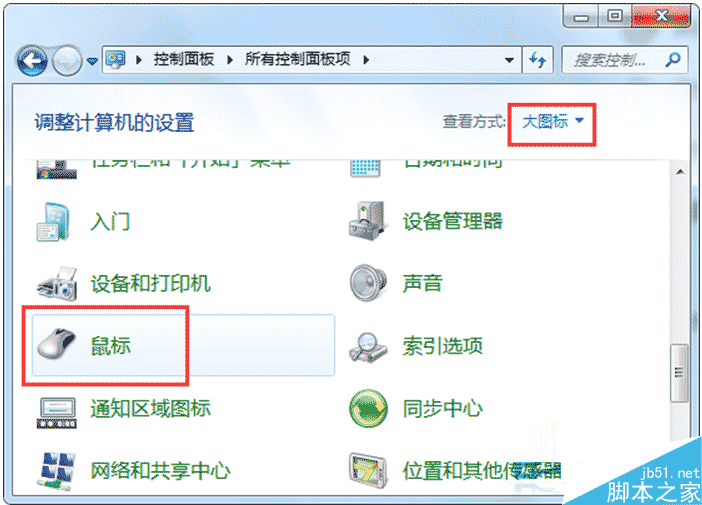
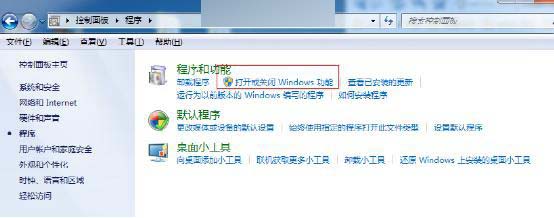
- 控制台 →「程式集」→「開啟或關閉 Windows 功能」。
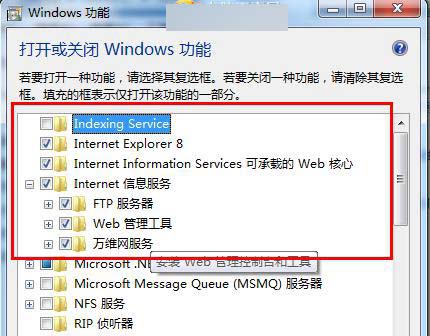
- 展開「Internet 資訊服務」→ 所有子項全勾選(父節點勾選不會自動展開子項) → 確定安裝。
新增 FTP 站台
- 「系統管理工具」→「Internet Information Services (IIS) 管理員」。
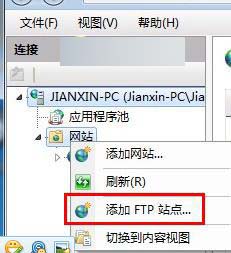
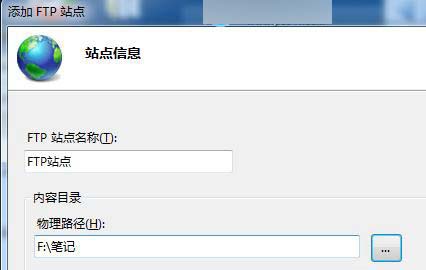
- 右鍵「網站」→「新增 FTP 站台」→ 輸入站台名稱、實體路徑。
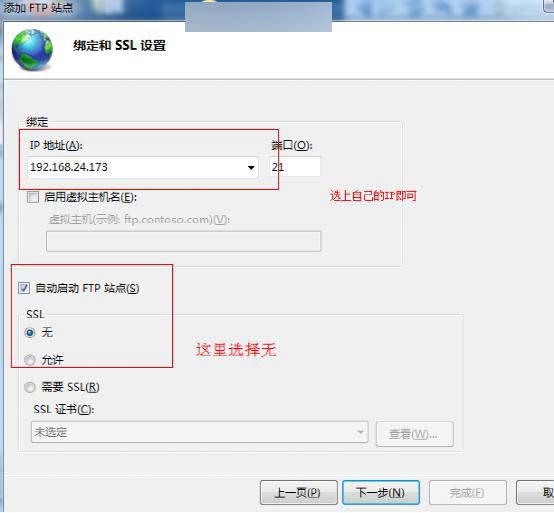
- IP 位址選「所有未指派」,SSL 選「無」。
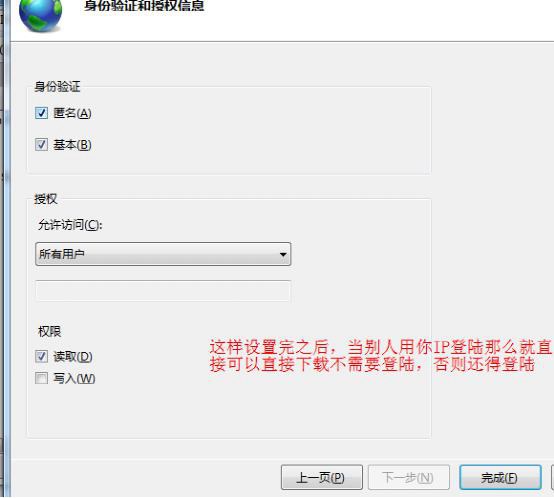
- 驗證選「基本」,授權規則依需求設定「指定使用者/角色」與「讀取/寫入」權限。

完成後將網頁程式放入實體路徑,即可透過 ftp://IP 存取測試。