Windows XP Windows 7 Windows 2003 Windows Vista Windows 綜合教學 Linux 系統教學
Windows 10 Windows 8 Windows 2008 Windows NT Windows Server 電腦軟體教學
您现在的位置: Windows教程網 >> Windows教程 >  >> Windows 綜合教學 >> 關於 Windows

Win10 累積更新 KB3189866 卡在 95% 進度條?手動下載離線安裝包解決

編輯:關於 Windows

9/14 微軟推送 Win10 週年更新累積更新 KB3189866 (Build 14393.187),大量用戶回報安裝卡在 45% 或 95% 不動。重置 Windows Update、清除快取、手動下載離線包安裝可解決。
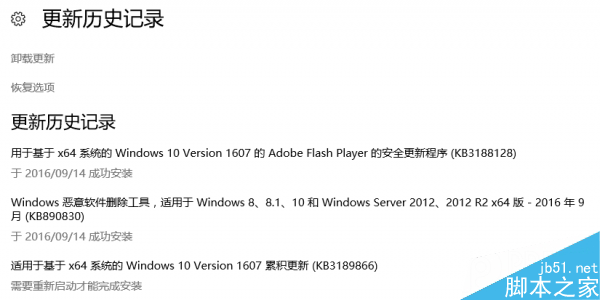
現象

  • 更新下載完成,安裝階段進度條停留 45%/95% 超過 30 分鐘無變化。
  • 重開機後仍卡在相同進度,甚至無法進入桌面。

解決方案

  1. 手動下載離線安裝包 (最有效):
      - x64 版 (431 MB):Microsoft Update Catalog KB3189866 x64
      - x86 版 (255 MB):Microsoft Update Catalog KB3189866 x86
      下載 .msu 檔 → 雙擊安裝 → 重開機。
  2. 重置 Windows Update 元件:
      管理員 CMD 依序執行:
      net stop wuauserv
      net stop bits
      ren C:\Windows\SoftwareDistribution SoftwareDistribution.old
      net start wuauserv
      net start bits
      再次檢查更新。
  3. 執行系統檔案修復:sfc /scannow → DISM /Online /Cleanup-Image /RestoreHealth。

官方回應

微軟官方尚未正式回應,但 Community 論壇、Reddit、Answers 等社群大量討論此問題,手動離線安裝為目前社群驗證成功率最高方案。

適用版本

Win10 1607 (Build 14393) 週年更新正式版、慢速/發布預覽通道。

Copyright © Windows教程網 All Rights Reserved