IE 位址列下拉記錄可能洩露瀏覽隱私。透過登錄設定,可讓 Windows 每次重新開機時自動清空此記錄,無需手動操作。
設定步驟
- Win+R → 輸入
regedit 開啟登錄編輯器
- 瀏覽至:
HKEY_CURRENT_USER\Software\Microsoft\Windows\CurrentVersion\Policies\Explorer
- 右鍵空白處 →「新增」→「DWORD (32 位元) 值」
名稱:ClearRecentDocsOnExit
數值資料:1(十六進位)
- 重新開機生效
效果說明
- 每次登出/重開機/關機時,系統自動清除 IE 位址列下拉歷史。
- 不影響「我的最愛」、Cookies、暫存檔等其他瀏覽資料。
- 同樣適用於 Windows XP / Vista / 7 / 8 / 10 / 11。
補充:手動清除替代方案
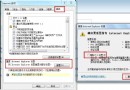
- IE 選單 →「工具」→「網際網路選項」→「一般」頁籤 →「刪除」→ 勾選「歷史記錄」
- 或使用 Ctrl+Shift+Del 快捷鍵開啟刪除對話方塊
自動化隱私保護,讓共用電腦更安心。