不建議使用第三方工具(360、騰訊等)升級,避免深度植入第三方軟體影響體驗。微軟 2015 夏季釋出 Win10,針對符合硬體需求的正版 Windows 提供免費升級。本文指導透過 Windows Update 官方管道升級。
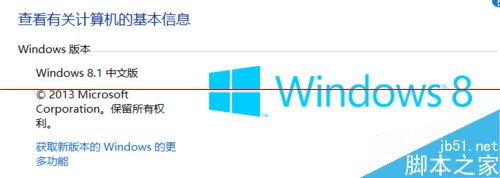
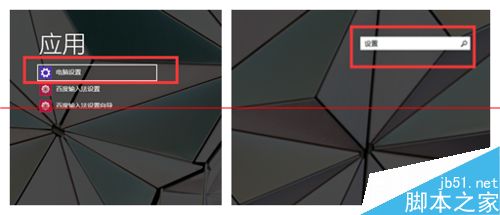
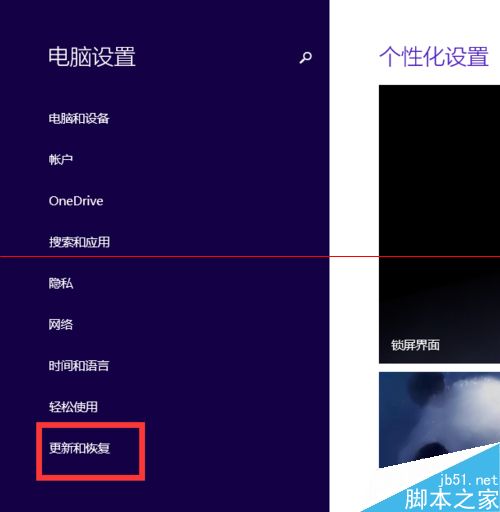
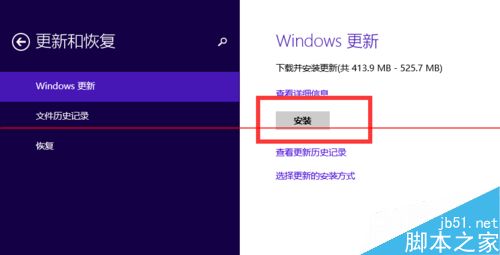
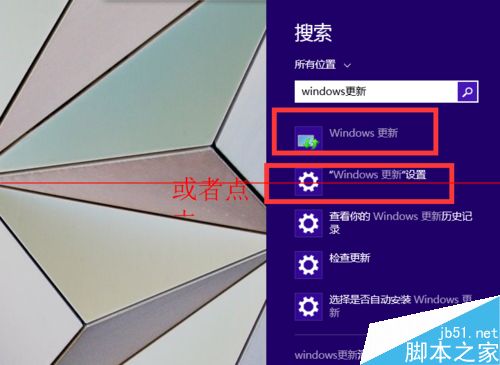
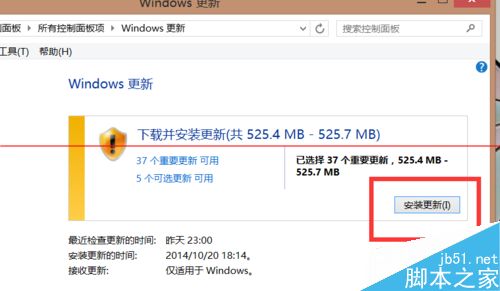
注意:微軟 2015 夏季釋出 Win10 才會推送更新,請耐心等待。
Win10 檔案總管搜尋工具中文翻譯 Bug:巨大超大 gigantic、微小極小很小 tiny
Win10 週年更新「動作中心」大改版:優先順序、快速動作 15 格、跨裝置同步全解析
Windows 10 正式版安裝教學影片與新功能介紹:觸控、雲端同步、DirectX 12、Office 2015
Win 10 正式版發布 20 天中國市場佔有率達 3.74%,排名第四,趨勢看漲可望超越 Win 8.1
Windows 7 設定 VMware 虛擬機器上網(Host-Only 模式)
Windows XP 啟用鍵盤控制滑鼠 (滑鼠鍵) 教學:輔助功能選項四步驟設定