Windows 8 預設使用 Metro 版 IE10 開啟連結,造成使用不便。安裝第三方瀏覽器後,可透過設定預設程式將其設為永久預設開啟方式。
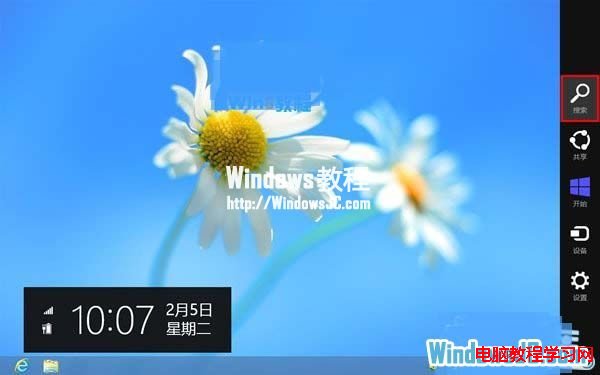
1、按 Win+C 開啟魅力列 →「搜尋」。
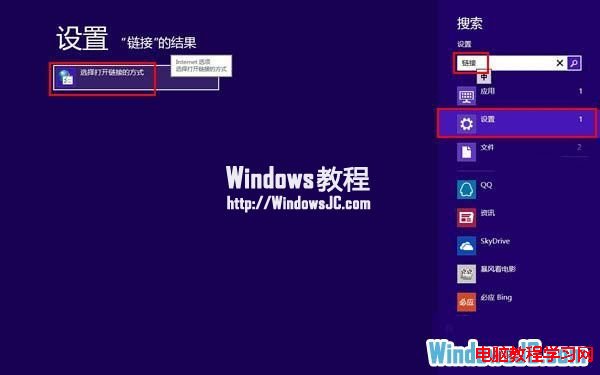
2、選擇「設定」,搜尋框輸入「連結」,點選「選擇開啟連結的方式」。
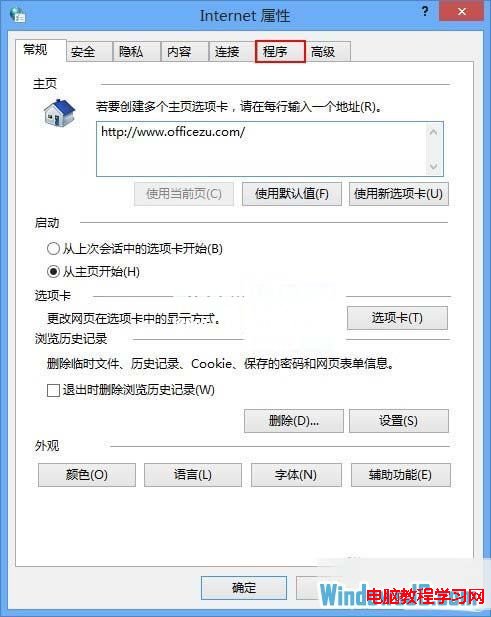
3、開啟「網際網路內容」→「程式」分頁。
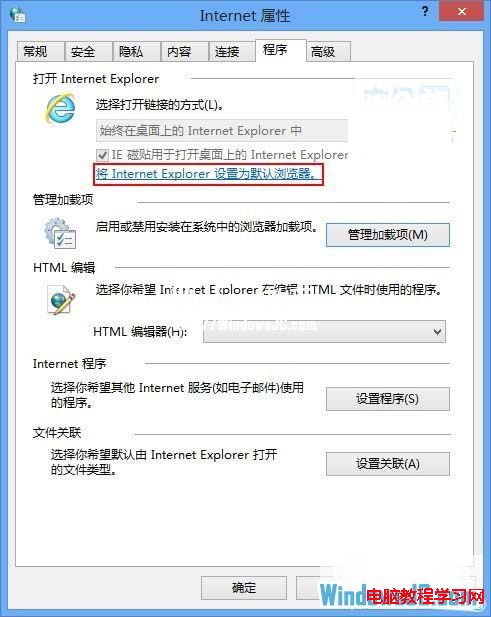
4、點選「將 Internet Explorer 設為預設瀏覽器」(此步驟為進入預設程式設定介面)。
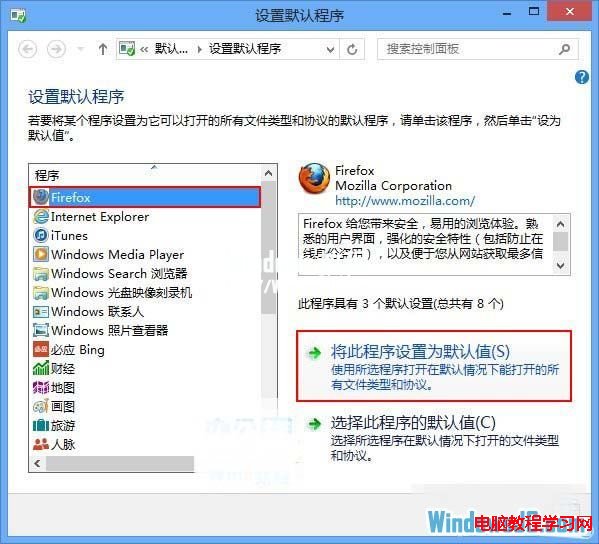
5、在「設定預設程式」中選擇已安裝的第三方瀏覽器,點選「將此程式設為預設值」。
Win7 系統執行會聲會影出現錯誤代碼 1317 解決教學
Windows 10 預覽版應用商店 Beta 無法開啟或當機解決方案
Windows 系統關不了機、關機卡住解決方法:三大常見原因與對策
Windows 10 筆電開啟行動熱點/虛擬 Wi-Fi 完整指令教學(含網際網路共享設定)
Win10 高解析度螢幕字體模糊怎麼辦?註冊表調整 DPI 縮放徹底解決
快播提示「該網站不可點播」怎麼辦?降級安裝精簡版/不升級版完整解決方案
Win10 累積更新 KB3140745 反覆安裝失敗?清除 SoftwareDistribution 快取或重命名資料夾強制重下載
Win7/Win8 如何屏蔽 Win10 正式版安裝包提示?隱藏更新拒絕升級