Windows XP Windows 7 Windows 2003 Windows Vista Windows 綜合教學 Linux 系統教學
Windows 10 Windows 8 Windows 2008 Windows NT Windows Server 電腦軟體教學
您现在的位置: Windows教程網 >> Windows教程 >  >> Windows 綜合教學 >> 關於 Windows

Windows 作業系統 13 個實用技巧:刪除頑固檔案、自動關機、輸入音標、修改註冊表備份數…

編輯:關於 Windows
  1. 刪除無法刪除的檔案: 資源回收筒右鍵 → 內容 → 最大空間設 0% → 確定 → 再次刪除即可成功。
  2. Windows 2000/XP 定時自動關機: at 1:00 shutdown -s (凌晨 1 點關機);shutdown.exe -s -t 6000 (6000 秒後關機);shutdown -a 取消;shutdown -i 圖形化設定。
  3. Windows 輸入國際音標: 安裝 YinBiaoNormal 字型 (yibn.ttf 複製到 C:\Windows\Fonts) → 切換字型即可鍵盤輸入音標。
  4. 修改註冊表備份份數: scanreg.ini → 修改 MaxBackupCopies=5 為所需值 (建議 ≤10,每份約 2-5MB)。
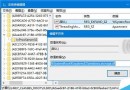
  5. 隱藏「我的電腦」圖示: 註冊表 HKEY_CLASSES_ROOT\CLSID 新增 ShellFolder 主鍵 → 二進位值 attributes=ff ff ff ff → 重開機隱藏;刪除主鍵恢復。
  6. 快速開啟桌面資料夾: Win+R 輸入 . → Enter 彈出桌面資料夾。
  7. 巧妙複製爛碟: 複製 VCD 讀取失敗時按 Reset 重開機 → 磁碟掃描 → 找回百 MB 遺失檔案 → 改副檔名 .mpg 即為影片檔。
  8. 同時搜尋多顆磁碟: 搜尋框輸入 A:;C:;D: (分號分隔) 同時搜尋多磁碟;可加路徑 C:/Tools;C:/Windows;D:/123 縮小範圍。
  9. 清除滑鼠右鍵多餘指令: 註冊表 HKCR\Directory\shell、HKCR\htmlfile\shell 刪除不需的指令鍵值。
  10. 解除系統資料夾鎖定: 搜尋並刪除/移動 Folder.htt 檔案,打開 system/system32 不再跳警告。
  11. 禁止 .reg 檔匯入: 註冊表 HKLM\Software\Classes\.reg 預設值改為 txtfile,雙擊 .reg 會用記事本開啟而非匯入。
  12. 測試光碟機效能: 附件 → 系統工具 → 系統資訊 → 元件 → 多媒體 → CD-ROM,放入光碟自動測試傳輸速度等。
  13. 圖示色彩更鮮豔: 註冊表 HKCU\Control Panel\Desktop\WindowMetrics 新增字串值 ShellIconBPP = 16 (16-bit) 或 24 (24-bit)。

這 13 招技巧涵蓋檔案管理、系統維護、介面調整,熟練運用能大幅提升 Windows 使用效率。

Copyright © Windows教程網 All Rights Reserved