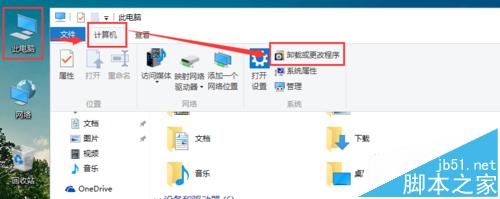
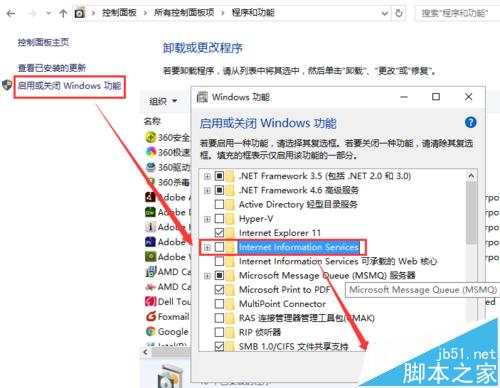
安裝 WampServer (Apache 2.4.9) 後,Apache 服務無法啟動(圖示卡橙色),錯誤日誌提示 80 埠被佔用,通常是 Windows 內建 IIS 服務搶佔。
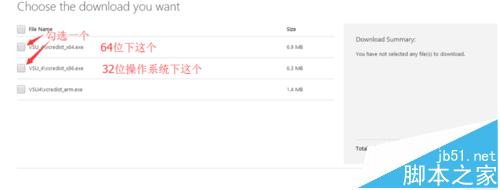
vcredist_x64.exe 或 vcredist_x86.exe(VS 2012/2013/2015/2017/2019 均可),缺少運行庫會導致 Apache 崩潰。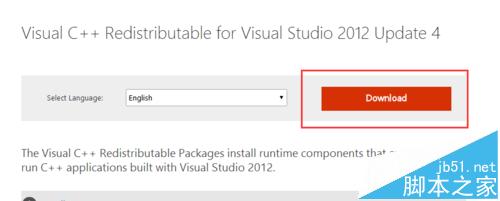
httpd.conf 將 Listen 80 改為 Listen 8080 等其他埠,存取時網址加 :8080。Win10 Mobile Build 10586.xx 持續更新:WP8.1 用戶可直升最新版
Win7 安裝與完美配置 IIS 7.0 完整圖文教學:從啟用功能到網站驗證
Windows時間同步失敗「與time.windows.com同步時發生錯誤」?啟用Windows Time服務並手動同步完整教學
NVIDIA GeForce 355.80 熱修復驅動釋出:解決 SLI 多顯示器虛擬記憶體占用問題
Windows Server 2008 R2 C 槽空間不足?移動虛擬記憶體釋放空間
Win10 週年更新將整合 Insider 與 Xbox One 預覽體驗
Win10 新增硬碟分區完整教學:內建磁碟管理工具與第三方軟體雙方案
Unity 5.2 釋出:支援 Win10 與 UWP,Visual Studio 成為預設腳本編輯器,強化 VR/AR