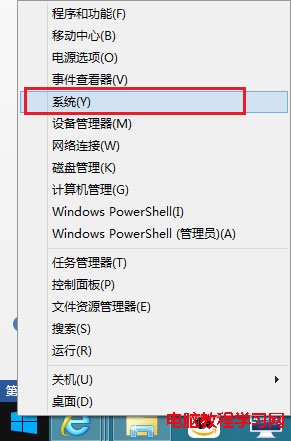
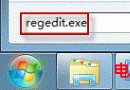
四種查看 Win8.1 版本號方法,任選其一:
slmgr.vbs -dlv
msinfo32
regedit
HKEY_LOCAL_MACHINE\SOFTWARE\Microsoft\Windows NT\CurrentVersion
依操作習慣選擇最順手的方法即可。
Win8 主題 .deskthemepack 雙擊無法安裝?需暫時將地區改為日本
Win10 切換電源計劃延長續航:註冊表添加右鍵菜單一鍵切換
Win7 寬帶連線卡在「正在識別」兩大解法:重置網卡、釋放 IP 重新取得
解決 Windows 7 筆電玩遊戲畫面無法全螢幕:四大顯晶片廠商設定對照表
Win10 10122 Edge 瀏覽器崩潰(AMD 顯卡)官方修復:更新顯卡驅動即可
Windows 10 Mobile 10080 預覽版:Xbox 應用初體驗與功能解析
Win8 應用商店打不開?四大修復方案從 DNS 到網卡設定
收不到 Win10 升級推送?修改時區欺騙伺服器立即觸發下載