筆電或鍵盤 NumLock 鍵實體損壞或驅動異常導致無法切換數字鍵盤,可透過 Windows 內建螢幕鍵盤啟用虛擬數字鍵盤暫時代替。
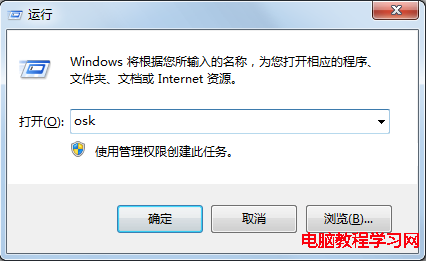
osk
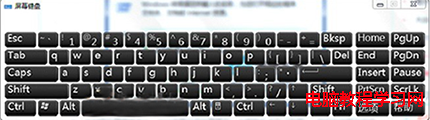
螢幕鍵盤即顯示完整數字鍵盤區塊,可用滑鼠點擊輸入數字。長期解決請更換鍵盤或更新鍵盤驅動程式。
Win10 預覽版 9879 新特性速覽:五大介面變革一次掌握
Win10 玩《極限競速 6》閃屏?更新顯卡驅動、設高效能模式、插電源、降解析度/畫質、回報 Beta 反饋五大方案
盜版 Windows XP/7/8/8.1 免費升級 Windows 10 免激活直接用
Windows XP 優化網路連線速度與雙工模式設定
Win10 藍畫面怎麼顯示詳細錯誤資訊?註冊表修改教學
Win7 桌面圖示只顯示名稱無圖示?刪除 IconCache.db 重建快取即可修復
Windows 7 取消螢幕保護程式恢復時需輸入密碼 / 完全停用螢幕保護程式
Windows 7 設定程式永以管理員身分執行:相容性標籤一勾永久生效