Windows 10 環境安裝 Visual Studio 2015 失敗,常見原因是安裝順序錯誤:先安裝了 VC++ 執行階段、.NET Framework,或移除內建應用程式 (Groove 音樂、電影與電視),導致 VS2015 安裝程式偵測環境衝突而終止。
核心解決原則
- 全新安裝 Win10 後,第一時間安裝 Visual Studio 2015,不要先手動安裝任何執行階段庫、.NET Framework、SDK 等元件。
- 不要移除 Windows 10 內建現代應用程式 (Groove 音樂、電影與電視、照片等),VS2015 安裝程式可能依賴其相關元件或註冊資訊。
修復建議
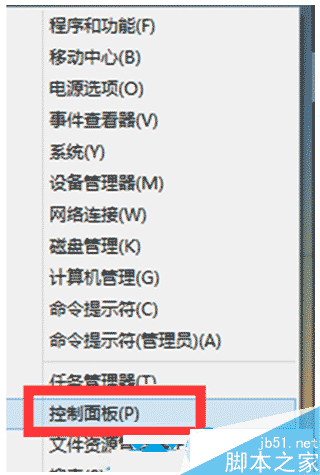
- 若已安裝其他元件,嘗試在「控制台」→ 「程式和功能」→ 右鍵 VS2015 安裝項目 → 「變更」→ 「修復」。
- 若修復無效,備份資料重灌 Windows 10,依正確順序安裝:Win10 → 更新 → VS2015 → 其他開發工具。
遵循「先裝 VS,再裝其他」原則,可避免 90% 以上的安裝失敗情況。