Windows XP Windows 7 Windows 2003 Windows Vista Windows 綜合教學 Linux 系統教學
Windows 10 Windows 8 Windows 2008 Windows NT Windows Server 電腦軟體教學
您现在的位置: Windows教程網 >> Windows教程 >  >> Windows 綜合教學 >> 關於 Windows

Win10 玩《極限競速 6》閃屏?更新顯卡驅動、設高效能模式、插電源、降解析度/畫質、回報 Beta 反饋五大方案

編輯:關於 Windows

《極限競速 6》在 Win10 常出現閃屏/畫面撕裂,官方仍標記為 Beta 版。綜合玩家實測,依序嘗試五大方案可大幅改善:

解決方案

  1. 更新顯卡驅動至最新版 (NVIDIA GeForce Experience / AMD Adrenalin 一鍵更新)。
  2. NVIDIA 控制面板 → 管理 3D 設定 → 電源管理模式 → 偏好最高效能 (AMD 對應設為 Performance)。
  3. 筆電務必接上電源,電池模式下 GPU 降頻易導致閃屏。
  4. 遊戲內設定:動態畫質 → 普通、解析度 → 1600×900 或更低測試。
  5. 透過 Xbox App / 官方論壇回報 Beta 反饋,等待遊戲端優化更新。
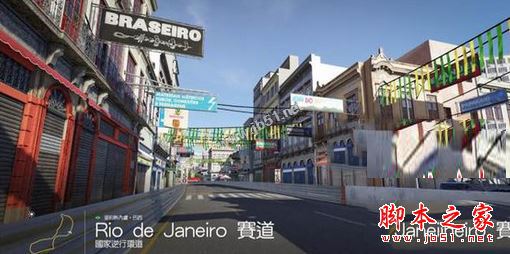
極限競速 6 閃屏

相關延伸閱讀

Copyright © Windows教程網 All Rights Reserved