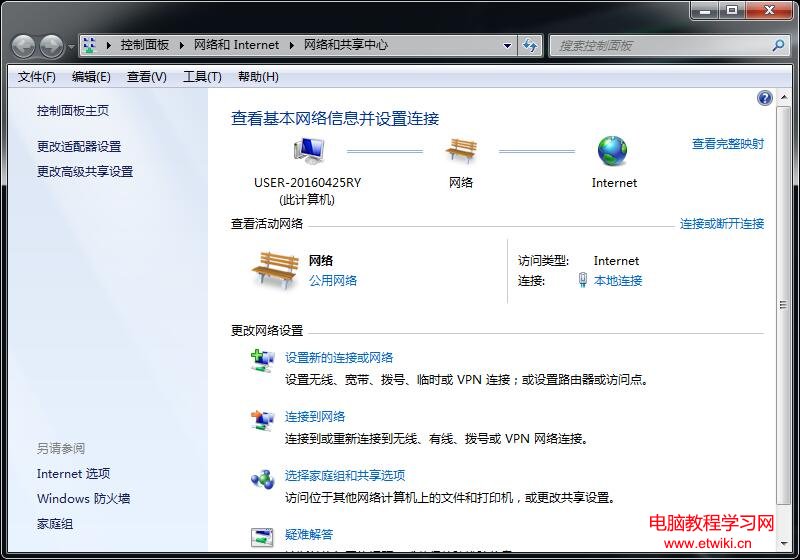
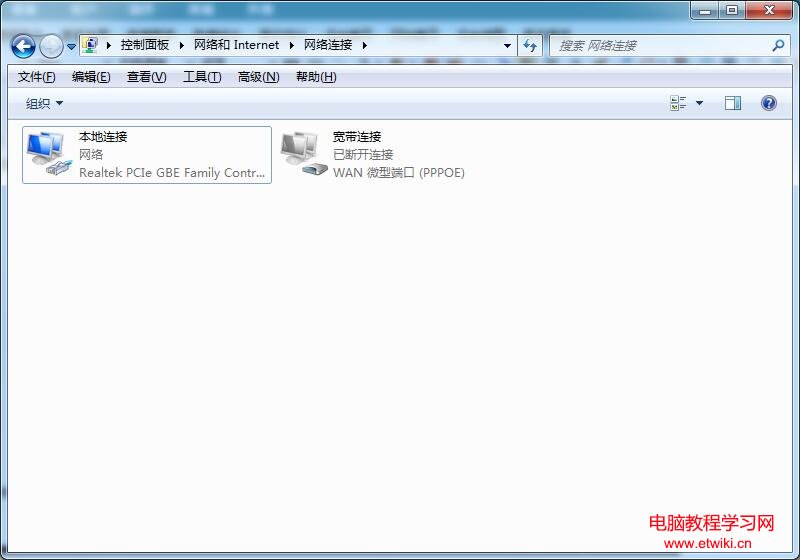
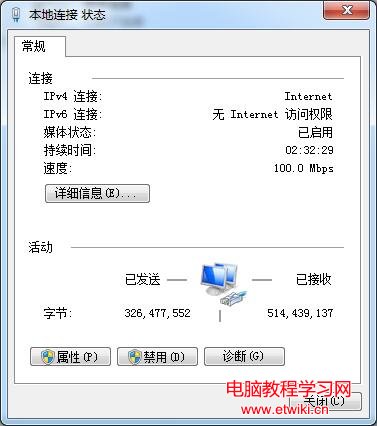
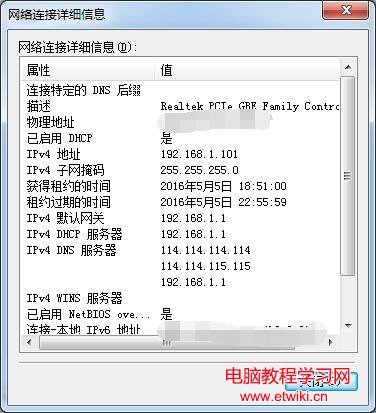
透過網路連線狀態即可快速查看本機 IPv4 位址、實體位址 (MAC)、預設閘道、DNS 伺服器等關鍵網路參數。
詳細資訊視窗將顯示:實體位址 (MAC)、IPv4 位址、子網路遮罩、預設閘道、DNS 伺服器 等。
Windows 7 設定預設開啟程式教學:讓特定副檔名永遠用指定軟體開啟
Windows 10 USB 無線網卡無法使用?裝置管理員停用內建網卡讓指定網卡生效
Win10 無法存取區域網路?防火牆封鎖 80 端口是主因,新增入站規則即可解決
Win10 如何關閉透明化介面?註冊表修改 EnableTransparency 僅適用 Build 10056
Win7如何彻底删除收藏夹“链接”文件夹?注册表一招搞定
Win10 14946 升級失敗?部分防毒軟體 (Bitdefender、Kaspersky 等) 導致無法安裝,建議先解除安裝
Win10列印機服務關閉無法列印?服務管理器啟用Print Spooler完整步驟
Windows 10 9926 安裝圖解完整教學:從 ISO 掛載到建立本地帳號 19 步驟