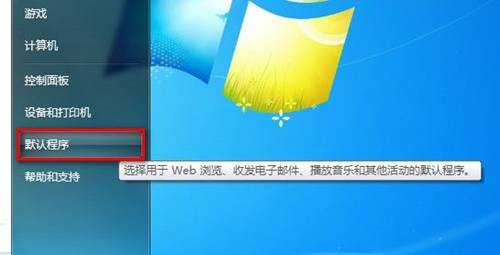
Windows 7 透過「預設程式」將副檔名與應用程式綁定:
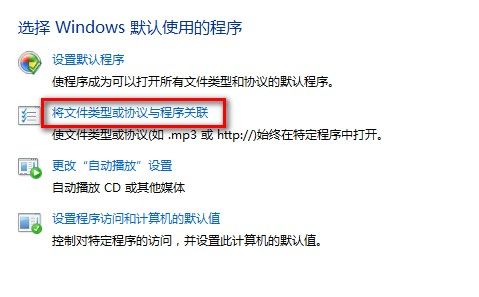
.mp3),目前預設程式顯示於上方。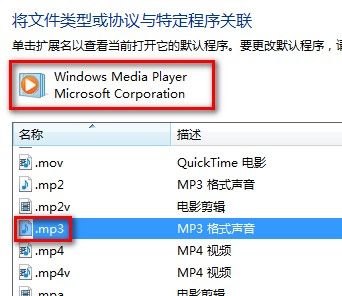
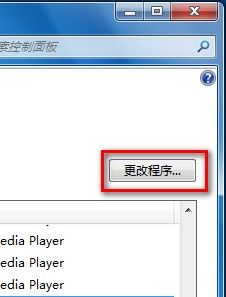
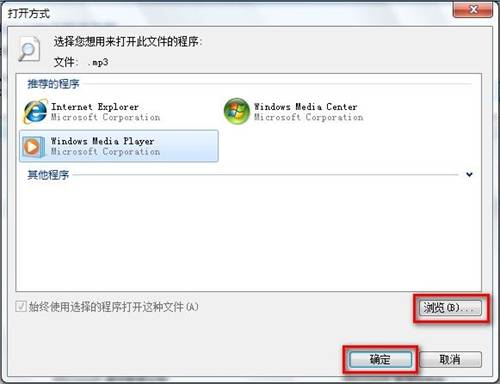
設定完成後,雙擊該副檔名檔案即會自動用指定程式開啟。
Win10 如何關閉/禁用 OneDrive 同步?圖文教學關閉雲端備份保護隱私
Windows 8 如何升級到 Windows 10?ISO 掛載升級保留原裝軟體完整教學
Win10 RS2 預覽版 14936 開放移除內建應用:Xbox、地圖、郵件等可卸載
解決 Windows 7 正版序號驗證錯誤 0xC004F061:升級序號無法全新安裝
VMware Workstation 安裝 Win8 系統完整圖文教學:ISO 掛載與虛擬機設定全紀錄
Win10 升級後遊戲跑不動?LOL 等主流遊戲相容性測試與需啟用遊戲解決方案