Mac 內建 Boot Camp 助理可安裝 Windows 雙系統,但新款 MacBook 皆採內建 SSD,128/256GB 空間緊張,分區給 Windows 太浪費。能否將 Windows 安裝在外接儲存裝置?答案是肯定的。
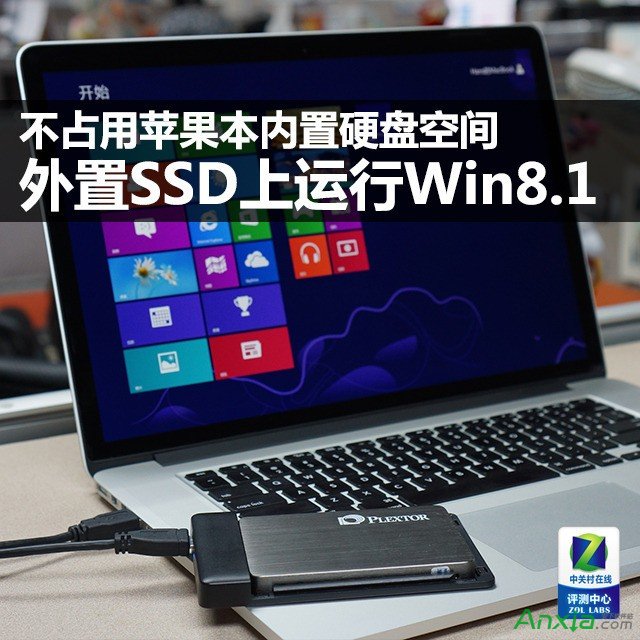
成功在 MacBook Pro 外接 SSD 完美運行 Win8.1 系統
Boot Camp 僅能識別內建硬碟,無法選擇外接 USB 硬碟。雖支援 Thunderbolt 裝置,但價格昂貴。解決方案是使用微軟 Windows To Go(Win8 企業版內建功能),允許在移動磁碟建立可攜式 Windows 系統。Win8 起底層支援從 USB 開機,滿足移動辦公需求。
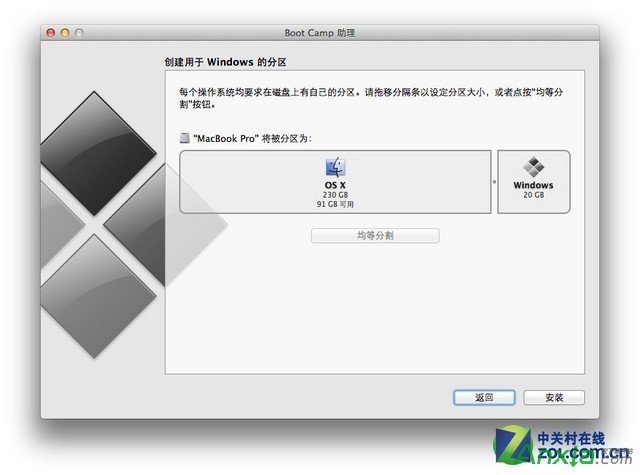
Boot Camp 僅能識別內建硬碟
Windows To Go 製作工具僅內建於企業版 Win8,且僅能安裝企業版 Win8/8.1。好在 Win8/8.1 軟體相容性已佳,可運行絕大多數遊戲。
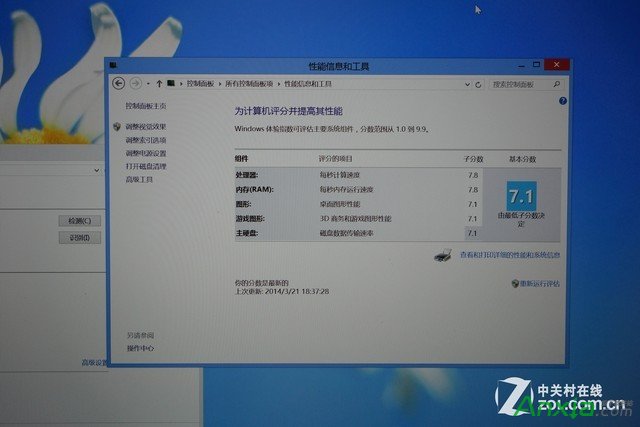
運行於 MacBook Pro 外接 SSD 的 Win8 系統評分
測試環境:256GB 普騰 M5S SSD,Win8 企業版(8.1 企業版亦可)。開機按 Option 選擇外接 Windows 分區即可啟動。系統評分:處理器與記憶體 7.8,GT650M 顯卡 7.1,硬碟 7.1(USB 3.0 限制 SSD 效能)。實測遊戲流暢,開機 30 秒內,系統極順暢。