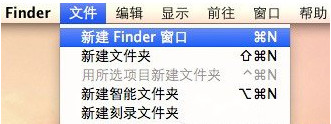
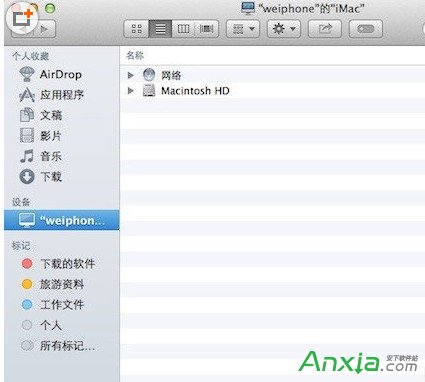
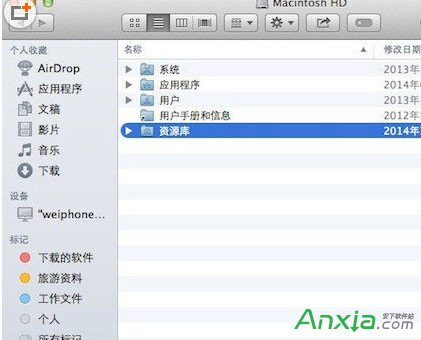
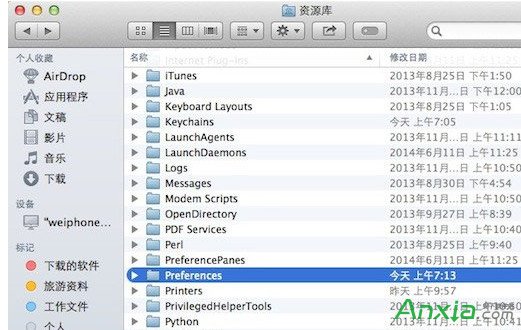
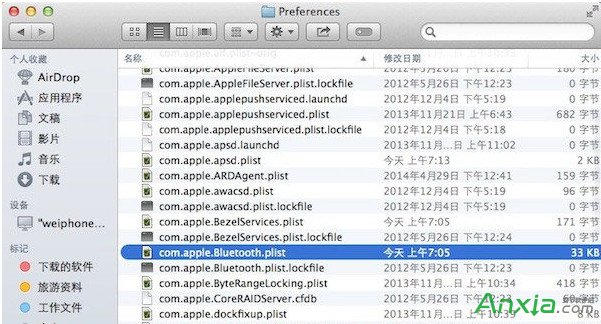
Mac 突然或喚醒後連不上 Wi-Fi 怎麼辦?以下提供解決方案。
com.apple.Bluetooth.plist
Win7 開啟 Local Settings 資料夾提示「拒絕存取」?修改權限繼承與 Everyone 完全控制解決
Win10 累積更新 KB3124200 安裝失敗?手動下載離線安裝包解決
微軟確認準備新版 Win10 Mobile 預覽版修復 10586.29 更新問題,Redstone 分支同步推進
【教學】Windows 10 Build 10074 開始選單隱藏背景模糊效果啟用法(登錄修改)
徹底關閉 Windows 10 自動更新:服務停用 + 復原機制雙重封鎖
Win10 UWP 紅石版應用商店更新:查找更新按鈕再次調整位置
SSID是什麼?SSID廣播意思與隱藏SSID防蹭網教學
微軟官方發布 Build 2015 會議日程:涵蓋 Windows/Azure/Office 365 全平台深度培訓