Server 2008 繼承安全性設計,登入前強制要求 Ctrl+Alt+Del(安全注意序列,SAS)。實驗室、虛擬機、自動化測試環境常需關閉此項。透過群組原則一鍵搞定。
操作步驟
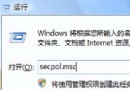
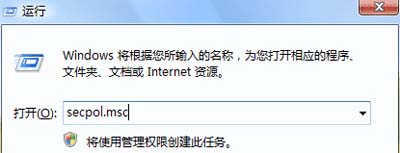
- Win+R →
gpedit.msc 開啟本機群組原則編輯器
- 依序展開:**電腦設定 → Windows 設定 → 安全性設定 → 本機原則 → 安全性選項**
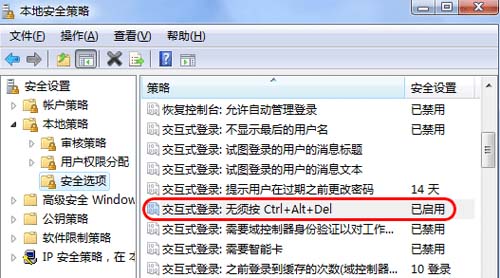
- 右側找 「互動式登入: 不需要 Ctrl+Alt+Del」
- 右鍵 → 內容 → 選 「已啟用」** → 確定
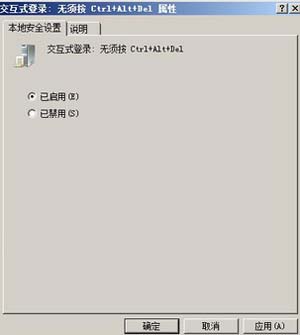
- 關閉編輯器,重啟或註銷驗證:登入畫面直接出現密碼輸入框,無 SAS 提示
原理與影響
- SAS (Secure Attention Sequence): 硬體層級中斷,保證後續登入介面為真實系統而非仿冒木馬
- 啟用此原則 = 降低安全性: 惡意程式可模擬登入畫面竊取密碼
- 適用場景: 測試機、開發環境、Kiosk 模式、自動化部署腳本
- 生產/對外服務: **嚴禁關閉**,維持預設「未設定/已停用」
命令列替代方案(適用自動化腳本)
reg add "HKLM\SOFTWARE\Microsoft\Windows\CurrentVersion\Policies\System" /v DisableCAD /t REG_DWORD /d 1 /f
同樣需重啟生效,本質同群組原則寫入註冊表。
一鍵群組原則,告別三指禪。但請記住:便利與安全永遠是天平兩端,環境決定選擇。