Windows Server 2003 + IIS 6.0 預設限制 ASP 上傳檔案大小為 204,800 位元組(200KB)。超過此限制會出現錯誤:
Request 對象 錯誤 ASP 0104 : 80004005
或上傳看似成功但找不到檔案。ASP.NET (.aspx) 不受此限制。
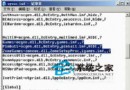
IIS 6.0 為安全考量,在 Metabase.xml 中設定 AspMaxRequestEntityAllowed = 204800。舊版 IIS 無此限制。
C:\Windows\System32\Inetsrv\MetaBase.xml。AspMaxRequestEntityAllowed,預設值 204800。51200000(50MB)或 104857600(100MB)。重新測試 ASP 上傳頁面,上傳大於 200KB 的檔案應可成功。
web.config 中 <httpRuntime maxRequestLength="102400" />(單位 KB,預設 4096 KB = 4MB)。applicationHost.config 或 web.config 設定 <security><requestFiltering><requestLimits maxAllowedContentLength="..." /></requestFiltering></security>(單位位元組)。@echo off
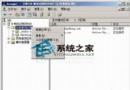
net stop iisadmin /y
powershell -command "(gc C:\Windows\System32\Inetsrv\MetaBase.xml) -replace 'AspMaxRequestEntityAllowed=\"204800\"', 'AspMaxRequestEntityAllowed=\"51200000\"' | sc C:\Windows\System32\Inetsrv\MetaBase.xml"
net start iisadmin
net start w3svc
修改 Metabase.xml 的 AspMaxRequestEntityAllowed 是突破 IIS 6.0 ASP 上傳限制的標準方法,操作前務必停止 IIS Admin Service,修改後重啟服務生效。生產環境請評估風險並配合安全防護措施。
Windows Server 2003 卷影副本服務:三步驟實現網路共享檔案還原
Windows Server 2003 進入安全模式完整操作指南
深度解析 BOOT.INI 結構與多重開機修改實戰:ARC 路徑、Timeout、Default、Switch 參數詳解
Windows Server 2003 新增 LPT 列印埠完整教學
Windows Server 2003 四大 Web 管理介面部署指南:列印、終端、串流媒體、遠端維護
Windows Server 2003 系統管理必學 6 大應用技巧:安全、效能、維護全面強化