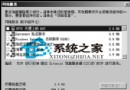
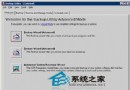
安全模式僅載入核心驅動程式與服務,是修復啟動故障、移除惡意軟體、解除驅動程式衝突的最佳環境。以下為標準進入流程:
熟練掌握安全模式進入方式,是系統管理員處理緊急故障的基本功。
Windows Server 2003 安裝 Windows Media Player 11 完整修改版步驟 (手動解壓、INF 修改、登錄匯入)
Windows Server 2003 遠端桌面群組原則深度設定:允許連線、資料重導向、閒置逾時、使用者授權
Windows Server 2003 軟體 RAID 完整建置指南:動態磁碟轉換與 RAID-5 實作
Windows 系統時間調至 2038 年後會發生什麼?四大奇特現象實測
Windows 搜尋檔案關鍵字遺漏開啟中檔案的陷阱與解決方案
解決 Windows Server 2003 Sysprep 執行失敗:使用者設定無法捕獲至 .reg 檔案問題