CLUSSPRT.DL_)。expand X:\I386\ZONEOC.DL_ C:\Windows\System32\Setup\zoneoc.dll
或用 WinRAR/WinZip 開啟 ZONEOC.DL_ 解壓至同目錄。
expand X:\I386\GAMES.IN_  C:\Windows\INF\games.inf
expand X:\I386\IGAMES.IN_ C:\Windows\INF\igames.inf
expand X:\I386\PINBALL.IN_ C:\Windows\INF\pinball.inf
用記事本開啟 C:\Windows\INF\SYSOC.INF,在 [Components] 區段下新增三行:
Games=ocgen.dll,OcEntry,games.inf,,7
Pinball=ocgen.dll,OcEntry,pinball.inf,HIDE,7
ZoneGames=zoneoc.dll,ZoneSetupProc,igames.inf,,7
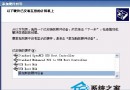
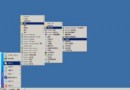
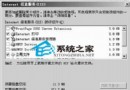
CLUSSPRT.DL_ 時,瀏覽指向 Server 2003 光碟 I386 目錄或硬碟備份位置。「開始」→「程式集」→「附件」→「遊戲」即可看到掃雷、接龍、彈珠台等經典小遊戲。
Windows Server 2003 SP1 新功能亮點:安全性設定精靈 (SCW) 體驗與部署
從 Windows 2000 升級至 Server 2003 的十大關鍵理由
Windows 系統設定工具 解決 Win.ini 檔案問題:分組測試法快速定位故障項目
Windows Server 2003 四大 Web 管理介面部署指南:列印、終端、串流媒體、遠端維護
Windows Server 2003 多媒體功能全開:三步驟解決視訊畫質差、無聲音、聲音卡頓
VPN 伺服器原理與 Windows 2000/2003 軟體 VPN 建置指南:PPTP/L2TP/IPSec 通道協定詳解
Windows Server 2003 DNS 伺服器部署與現有 DNS 架構整合實務指南
Windows NT 4.0 升級至 Windows Server 2003 實戰:套用預設 ACL 強化檔案與登錄權限