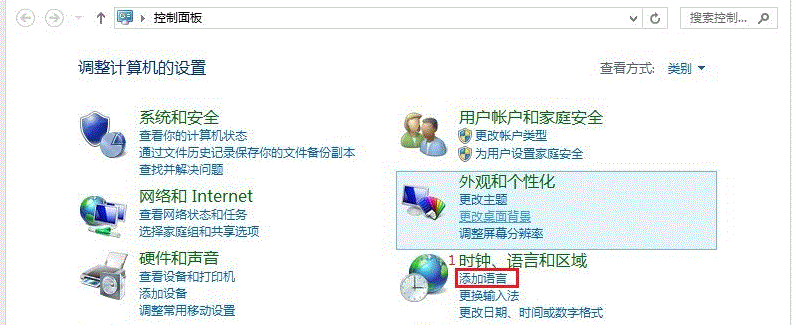
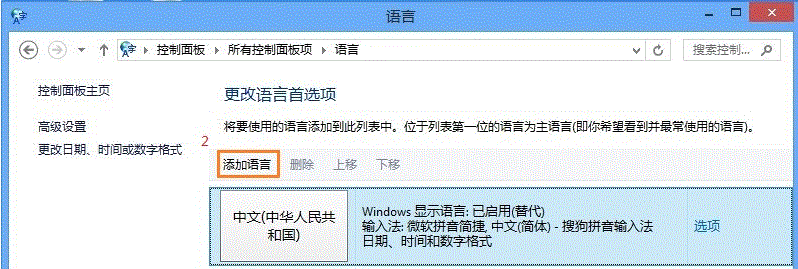
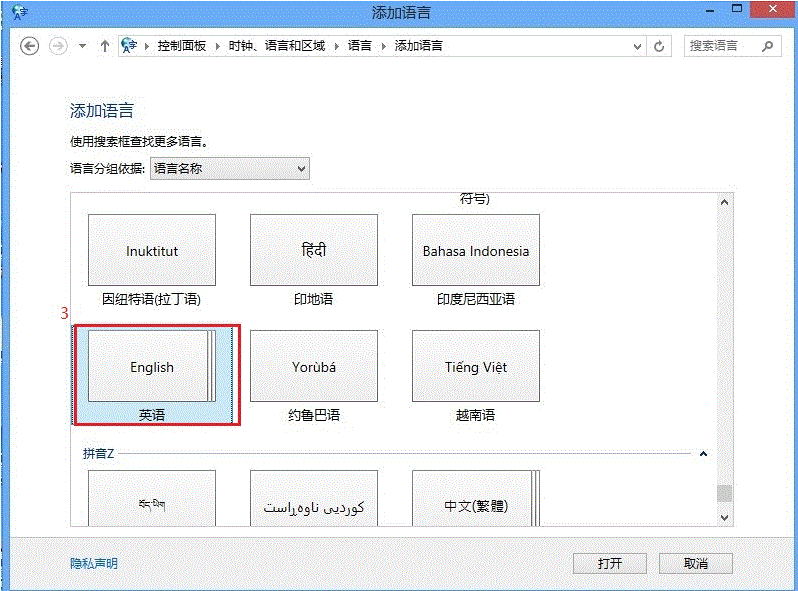
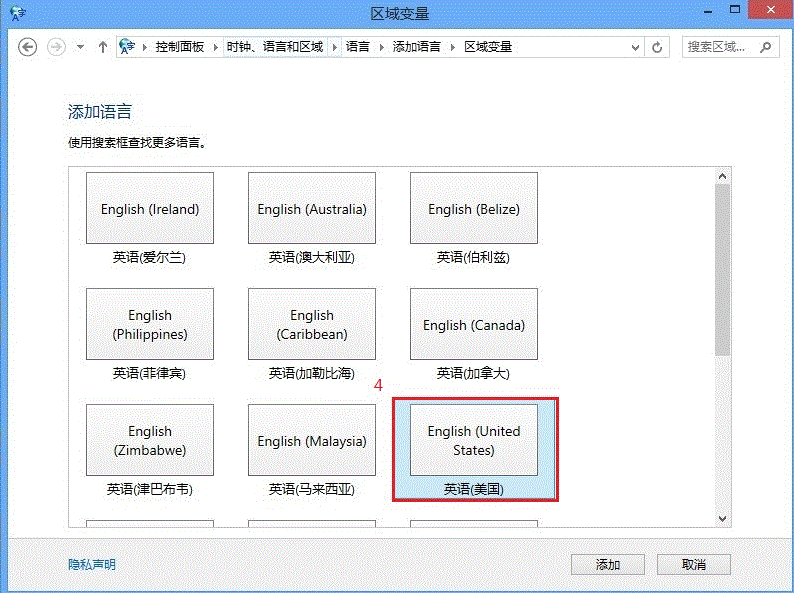
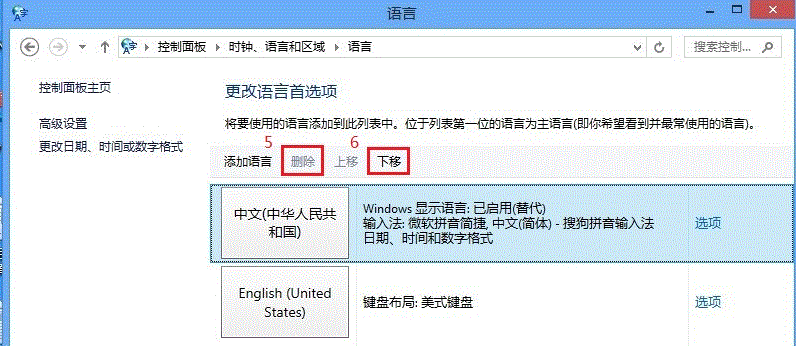
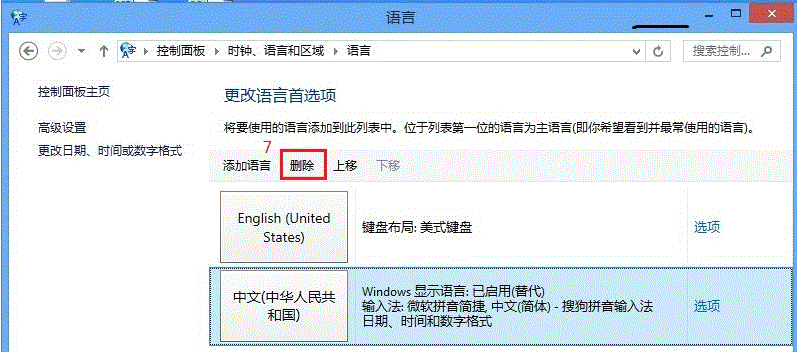
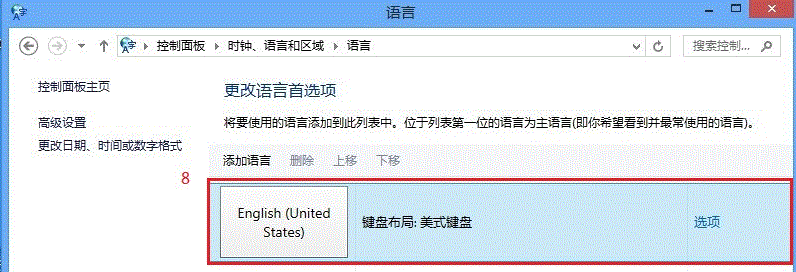
Windows 8 內建微軟拼音簡易輸入法在語言選項中刪除按鈕為灰色無法點擊。解決關鍵:先新增英文 (美國) 語言並將其設為預設,再將微軟拼音移至非首選位置,即可啟用刪除功能。
核心邏輯:系統保護預設輸入法不被刪除,將其降為非預設即可解除限制。
Win8 解決聽歌看影片雜音、爆音與卡頓問題
英文版 Windows 8 應用商店找不到中文應用?修改地區設定為中國即可
Win8 照片批次重命名技巧:無需第三方工具
Win8.1 Update 提升 OneDrive 上傳速度:修改並行上傳執行緒數
Win8 關閉遠端桌面防駭客入侵:控制台 → 系統 → 遠端設定 → 不允許遠端連線
Win8.1 無法識別 WD My Passport USB 3.0 行動硬碟?安裝原廠驅動並更新晶片組驅動
解決 IdeaPad Y400/Y500 Win8 無線網路受限/無法上網:關閉省電、啟用 FIPS 相容、回滾驅動、優化 TCP 設定
Windows 8.1 升級報錯 0x80004003 解決方案:乾淨啟動排除第三方衝突