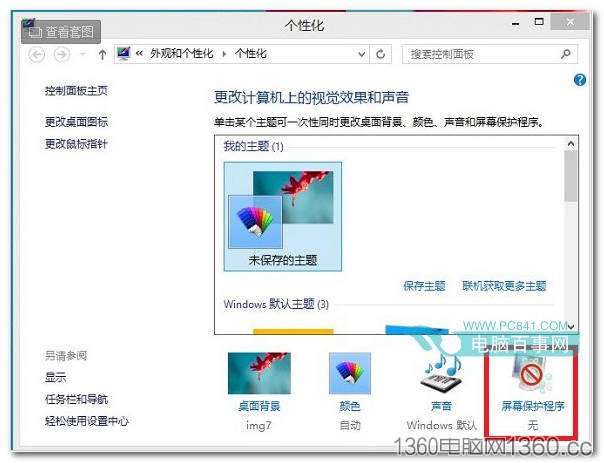
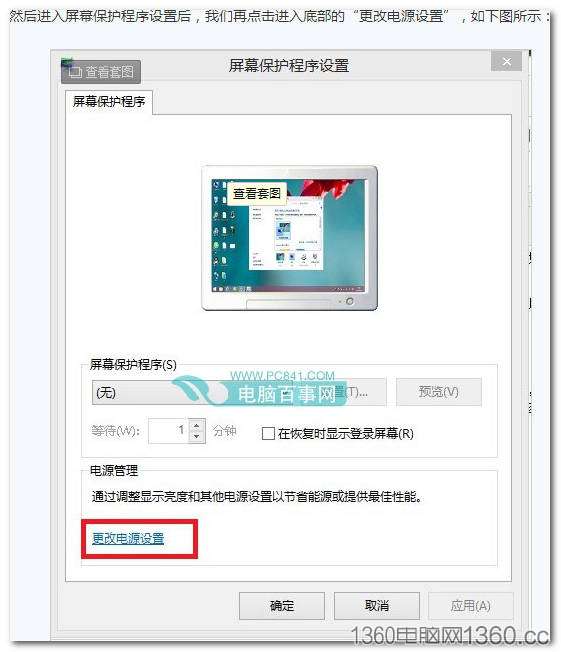
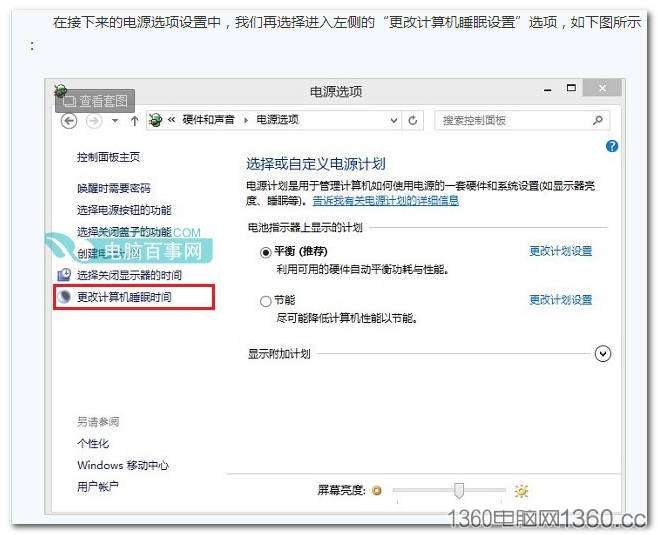
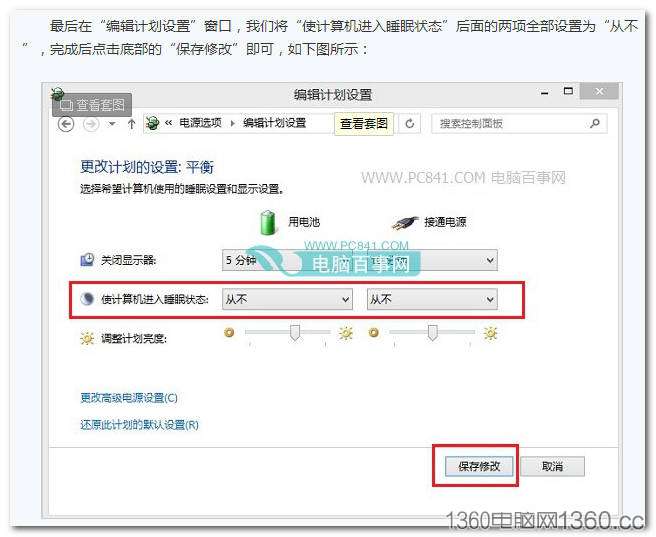
設定完成後掛機遊戲、下載檔案不再因待機中斷。
Windows 8.1 更新失敗原因與升級前檢查清單:驅動相容、防毒軟體、USB 裝置
Windows 8.1 Build 9385 啟用 Bing 每日鎖定畫面壁紙功能
Win8.1 IE11 降級回 IE10 完整教學:透過「已安裝更新」移除 IE11 套件
Win8 放大鏡四種開啟法:Win+U、熱鍵、執行指令、開始畫面全搞定
Win8 啟用資料夾核取方塊:檔案總管 → 檢視 → 選項 → 勾選「使用核取方塊選取項目」
Windows 8 設定通訊活動自動調降其他聲音音量
Win8.1 使用 DISM 指令清理 WinSxS 元件存放區:徹底釋放更新備份空間
Win8.1 升級 Win10 完整實測流程:從「取得 Windows 10」推送到桌面就緒