Windows XP Windows 7 Windows 2003 Windows Vista Windows 綜合教學 Linux 系統教學
Windows 10 Windows 8 Windows 2008 Windows NT Windows Server 電腦軟體教學

Win8 為輔助程式 (計算機/記事本/截圖工具) 建立桌面捷徑

編輯:Win8 系統應用技巧

Win8 移除開始選單,「輔助程式」群組隱藏於「所有應用程式」深層。透過「開啟檔案所在位置」→「傳送到桌面建立捷徑」,可為常用輔助程式建立桌面捷徑,一鍵啟動。

建立步驟

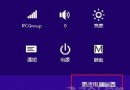
  1. 開始畫面 → 向下箭頭 → 「所有應用程式」。
  2. 找到目標程式 (如「計算機」) → 右鍵 → 「開啟檔案所在位置」。
  3. 記下路徑,回到桌面,在對應資料夾右鍵程式 → 「傳送到」→ 「桌面建立捷徑」。

常用輔助程式實際路徑 (64 位元系統)

  • 計算機:C:\Windows\System32\calc.exe
  • 記事本:C:\Windows\System32\notepad.exe
  • 截圖工具:C:\Windows\System32\SnippingTool.exe
  • 字元對應表:C:\Windows\System32\charmap.exe
  • 遠端桌面連線:C:\Windows\System32\mstsc.exe

進階技巧

  • 右鍵捷徑 → 「內容」→ 「捷徑」頁籤 → 指定「快速鍵」 (如 Ctrl+Alt+C 啟動計算機)。
  • 將捷徑釘選至工作列/開始畫面,多重啟動入口。
  • 建立批次檔 launch_accessories.bat 一鍵啟動多個工具。

三步建立輔助程式桌面捷徑,找回傳統啟動便利性。

Copyright © Windows教程網 All Rights Reserved